IBM Integration PoT Labs Home page
IBM Event Automation & IBM API Connect: Socialization of Kafka Topics as AsyncAPI’s
- Introduction [#introduction]
Table of Contents
2. IBM Event Endpoint Manager – FLIGHT.LANDINGS Topic Review
4. API Connect Developer Portal
5. Consuming Flight Landing Events
Introduction
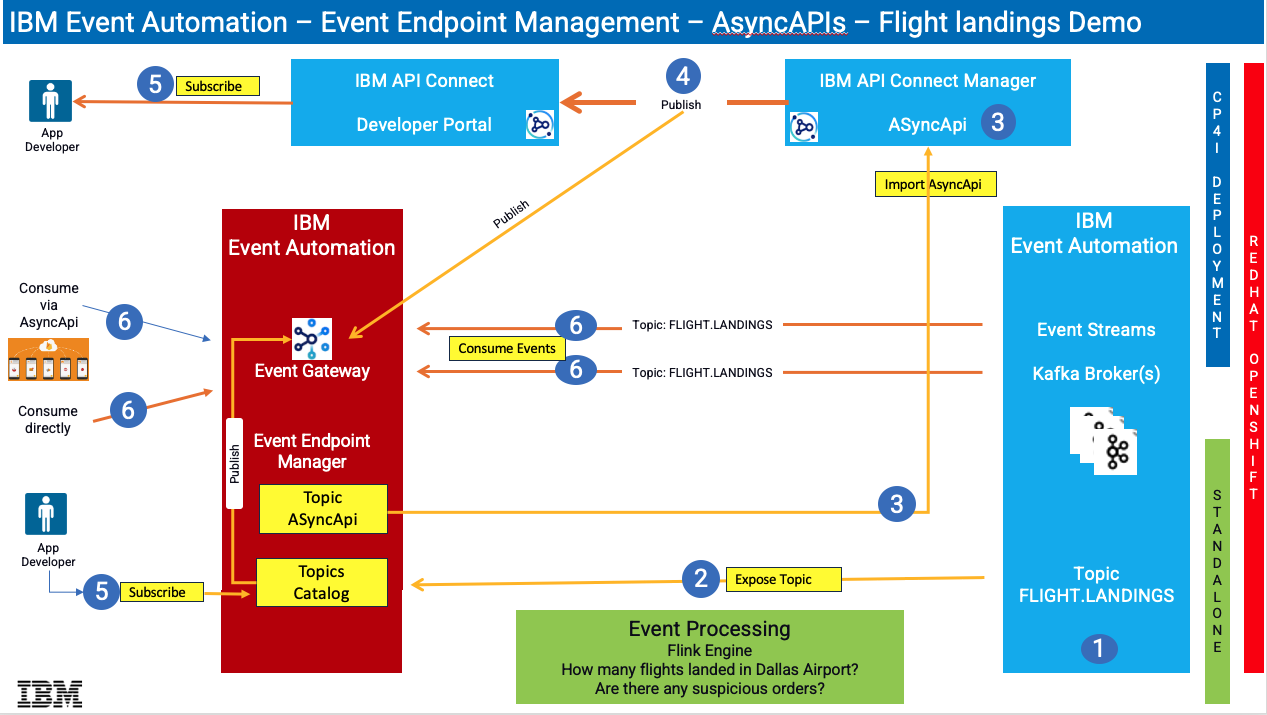
In this lab, you will explore the full potential of ASYNCAPI within IBM Event Automation and IBM API Connect. ASYNCAPI enables the integration of Kafka Topics into APIs via IBM Event Endpoint Management (EEM), which is a feature of IBM Event Automation, as well as IBM API Connect.
This lab will utilize a Kafka Topic named FLIGHT.LANDINGS, which is established within IBM Event Streams Kafka cluster. Flight landing events are produced in this topic each time a flight lands at an airport.
This lab will provide guidance on how to articulate and publish the FLIGHT.LANDINGS topic into EEM, followed by the establishment of the FLIGHT.LANDINGS topic as ASYNCAPI within IBM API Connect. Subsequently, the API will be made available on the IBM API Connect Developer Portal, enabling users to subscribe to and utilize events through Kafka Clients.
Reference architecture diagram below;
What is IBM Event Automation?
IBM Event Automation is a composable, event-driven solution designed to help businesses accelerate their event-driven transformation projects. It enables users to detect situations, act in real-time, automate decisions, and maximize revenue potential by putting business events to work. The solution includes Event Streams, Event Endpoint Management, and Event Processing, providing a foundation for event-driven architectures.
What is IBM Event Streams?
IBM Event Streams is an event streaming platform built on open source Apache Kafka®. It is available both as a fully managed service on IBM Cloud or on-premise as part of Event Automation or as part of CP4I. To deliver more engaging customer experiences, you need to accelerate your event-driven efforts so that you can act in real-time. With IBM® Event Streams, you can leverage enterprise-grade event streaming capabilities to build smart apps to help react to events as they happen. Based on years of operational expertise gained from running Apache Kafka® for enterprises, IBM Event Streams is ideal for mission-critical workloads.
What is IBM Event Endpoint Management?
IBM Event Endpoint Management, a component of IBM Event Automation, is a tool that allows organizations to manage, discover, and share event streams as easily as APIs. It provides a catalog for event streams, enabling application developers to discover, understand, and utilize these events within their applications. Essentially, it helps bridge the gap between event-driven architectures and API management practices.
What is IBM Event Processing?
IBM Event Processing, a component of IBM Event Automation, is a low-code platform that helps businesses analyze and act on real-time data streams. It allows users to build event processing flows using a visual, drag-and-drop interface, enabling them to filter, transform, aggregate, and join events from various sources. This helps businesses gain insights from event data and automate actions based on specific event triggers.
Note: We will not utilize this capability in this lab.
What is IBM API Connect?
IBM API Connect is a comprehensive platform for managing the complete lifecycle of APIs (Application Programming Interfaces). It enables organizations to create, manage, secure, socialize, and analyze APIs, allowing them to unlock their data and assets and power digital applications. API Connect provides a unified experience across the API lifecycle, from design and development to deployment, management, and monitoring.
About this hands-on lab
To support the hands-on activities in this lab, a dedicated environment has been provisioned, consisting of a Red Hat OpenShift cluster and a Linux workstation. These components provide the foundation for deploying and testing AsyncAPIs in a realistic, cloud-native setup.
-
Red Hat OpenShift Cluster
The OpenShift cluster serves as the deployment platform for all IBM Capabilities throughout the lab. It offers a fully containerized and orchestrated environment that aligns with modern enterprise cloud strategies. -
Linux Workstation
The Linux workstation functions as the primary interface for interacting with the OpenShift cluster. It will be used to execute deployment scripts, manage queue manager configurations, and run test scenarios. Participants will also use the workstation to monitor queue manager behavior, evaluate failover performance, and validate high availability and disaster recovery features.
IBM Event Endpoint Manager – FLIGHT.LANDINGS Topic Review
THIS SECTIONS is REVIEW ONLY
Note: This section is just showing the screens that an Event Endpoint Management Admin would use to expose a topic as AsyncAPI for IBM API Connect.
IBM Event Endpoint Manager (EEM) enables organizations to efficiently manage, discover, and share event streams in a manner comparable to APIs. EEM facilitates the addition and management of Kafka Topics from IBM Event Streams Kafka Brokers, along with other Vendor Kafka Brokers, thereby offering a unified platform for managing Kafka Platforms.
Let us examine the FLIGHT.LANDINGS Kafka Topic, which has already been pre-defined and cataloged in EEM.
Access IBM Event Endpoint Manager (my-eem-manager) from the Cloud Pak for Integration Platform Navigator Console.
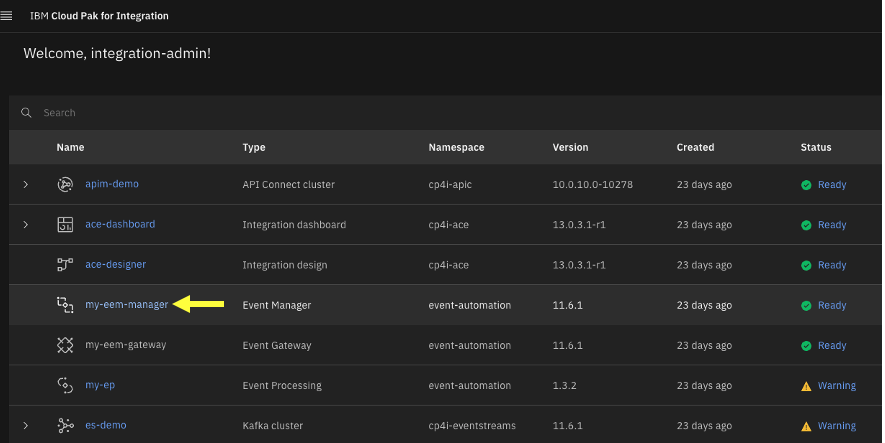
Logon to IBM Event Endpoint Manager as an Admin user “eem-admin”, and password “passw0rd”.
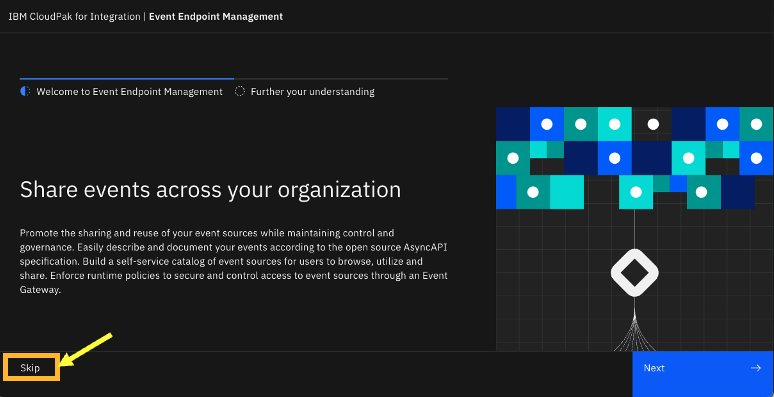
If you get the below Welcome page, then simply click on the Skip button to view the Topics view.
Topics View
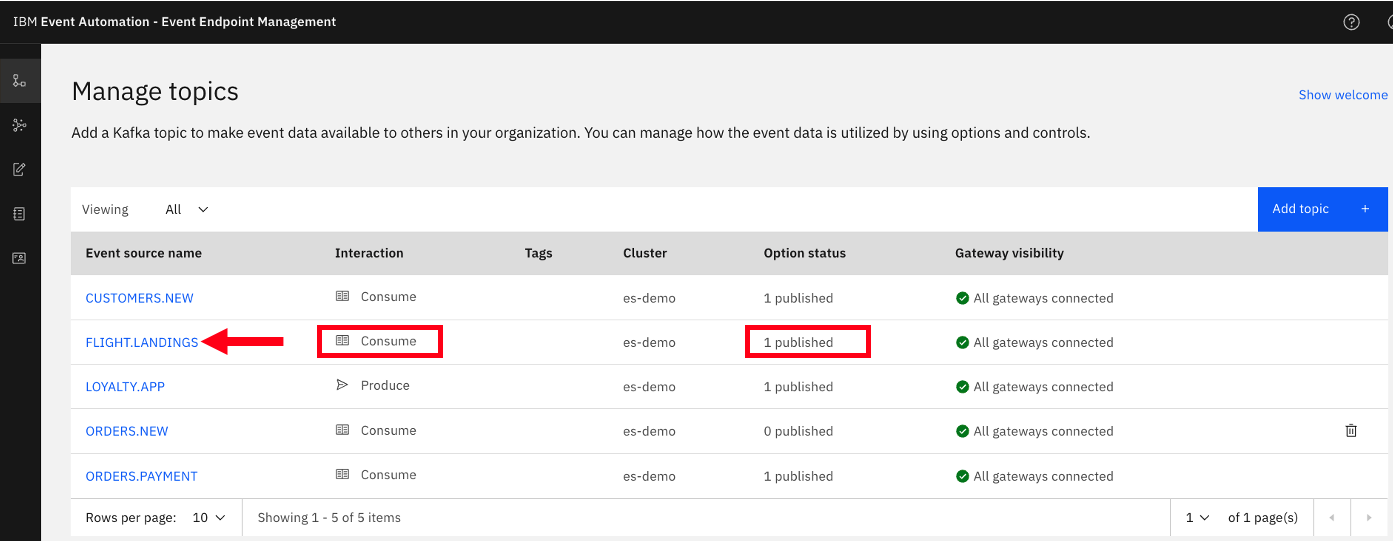
Click on the FLIGHT.LANDINGS to look at the options for the topic. Here you will see that it has been published to the Event Gateway.
Please be informed that the FLIGHT.LANDINGS Topic from IBM Event Streams is preconfigured within EEM, and an application is consistently generating events into this Topic at regular intervals.
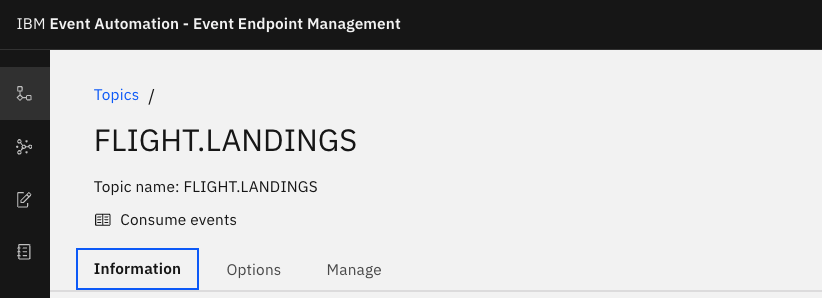
Explore the Information tab. Notice the Schema, and Sample message that is describing the FLIGHT.LANDINGS topic.
Explore “Options” and “Manage” tabs.
Catalogs View
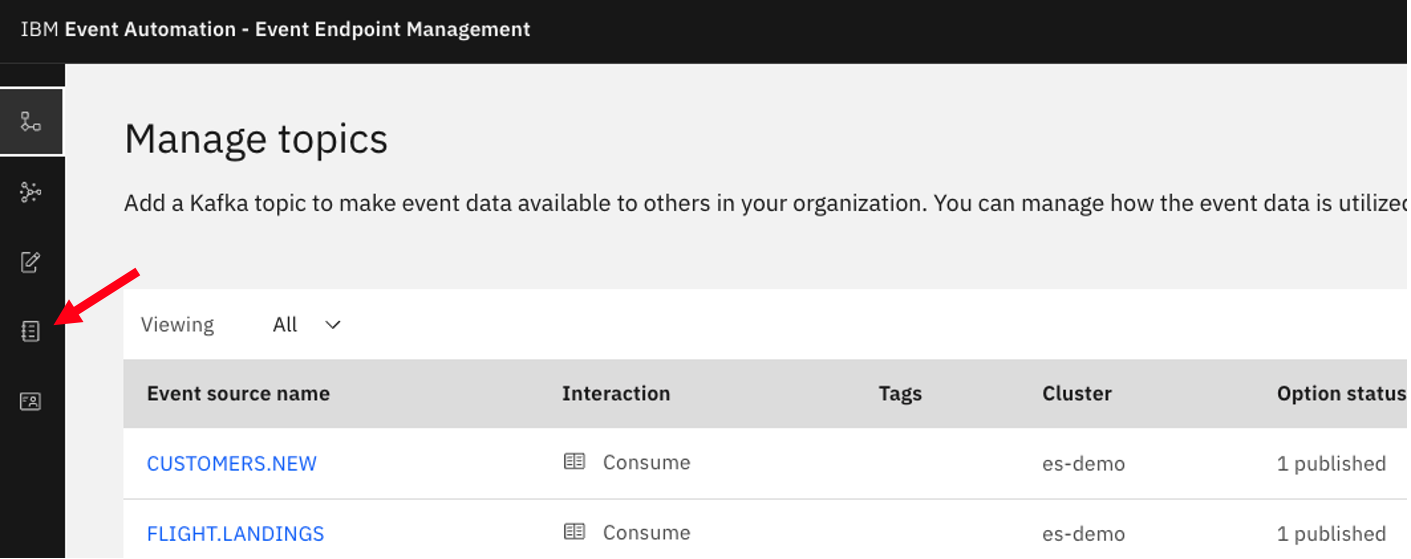
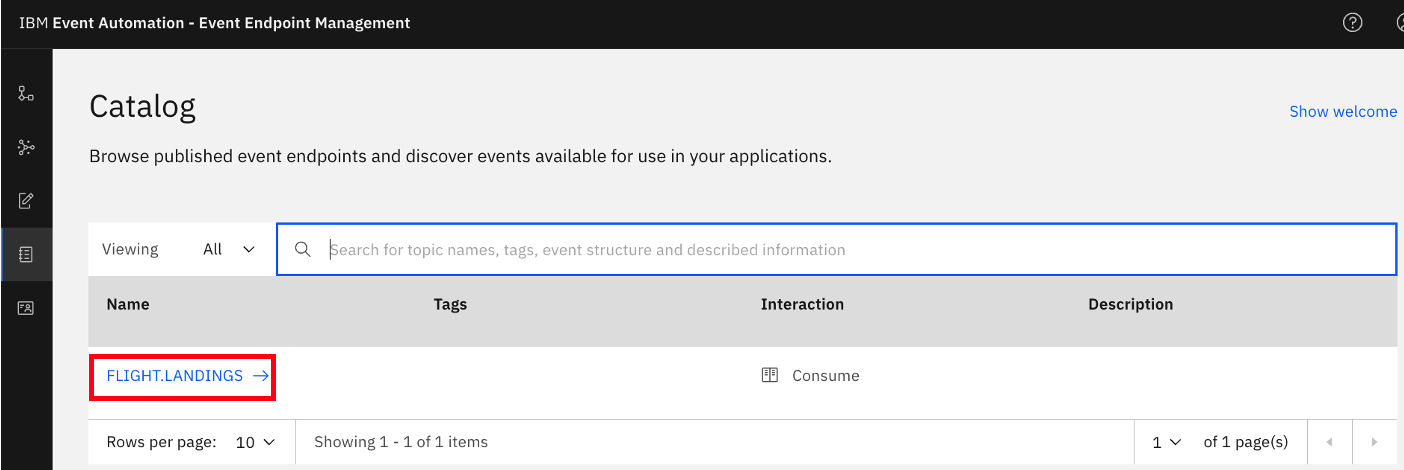
Now, click on the Catalog icon on the left to see the Published Topics to the Event Gateway.
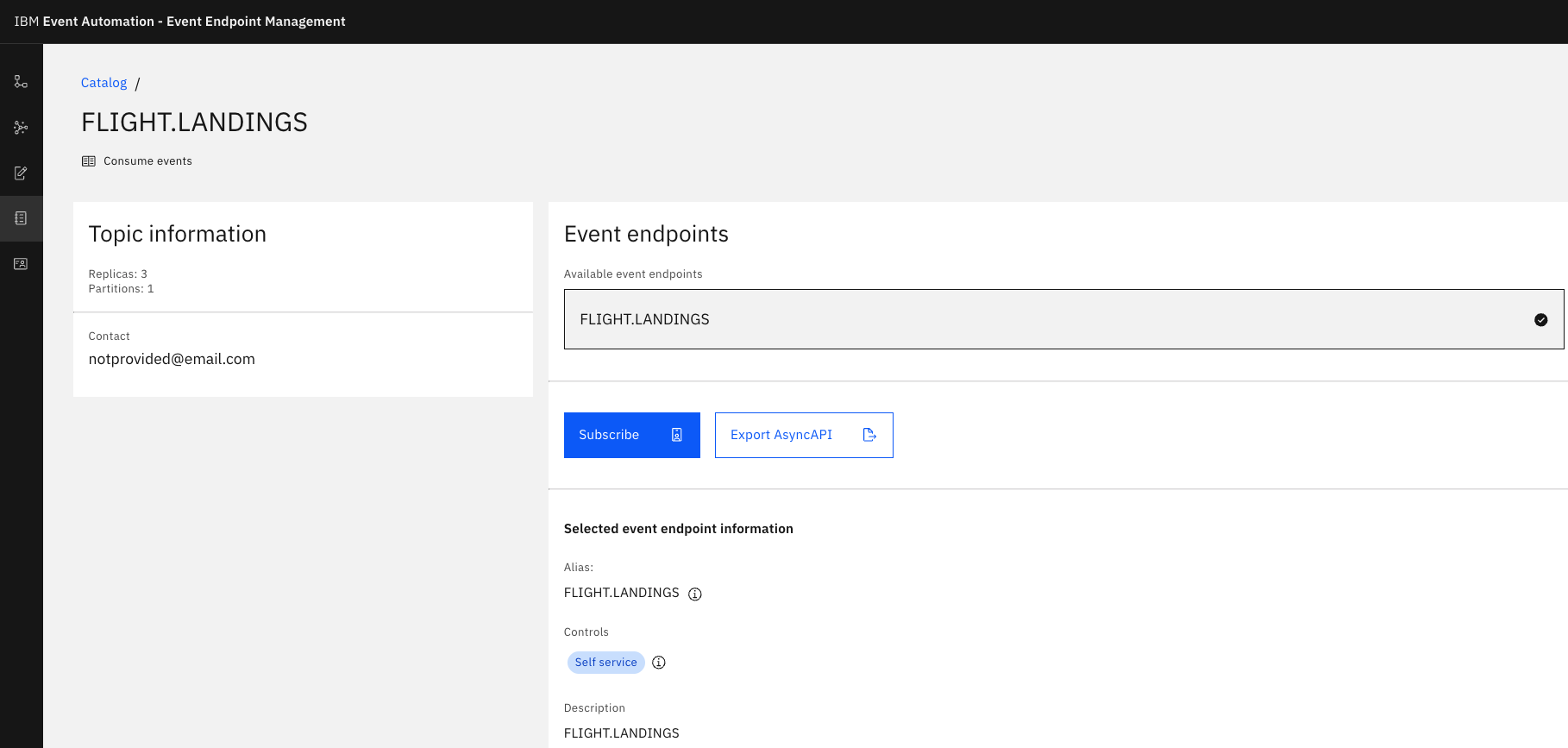
That is the end of the review of Event Endpoint Manager.
Api Connect Manager
At this point, we will develop and promote the AsyncAPI for FLIGHT.LANDINGS within the IBM API Connect Management Platform. After it has been promoted, the AsyncAPI will be accessible to application development teams through the central API Connect Developer Portal, enabling them to securely subscribe to and utilize the events. The API Connect Developer Portal serves as the marketplace for all your APIs, including REST, SOAP, GraphQL, as well as the AsyncAPIs.
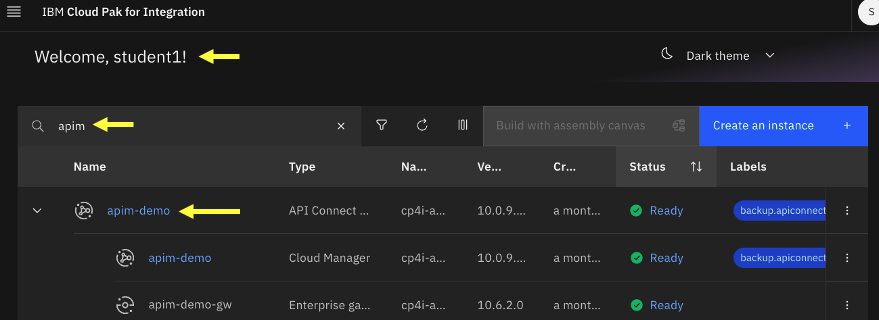
From the IBM Cloud Pak for Integration Platform Navigator Console, open IBM Api Management Console.
Find the API Management link on the Platform navigator
Note: Right click on link and open in new tab.
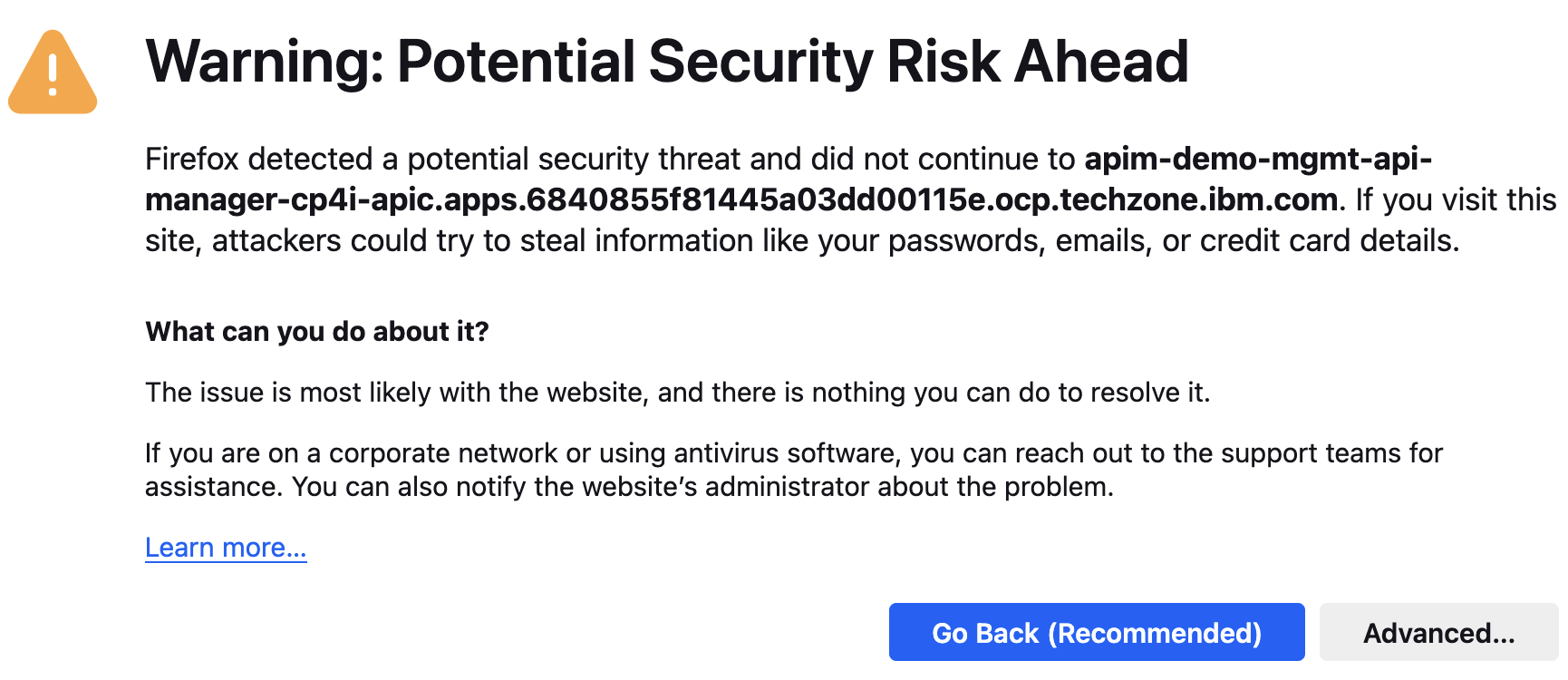
If you get “Warning: Potential Security Risk Ahead”, click “Advanced”, and click “Accept Risk and Continue” button to continue.
Add FLIGHT.LANDINGS AsyncApi
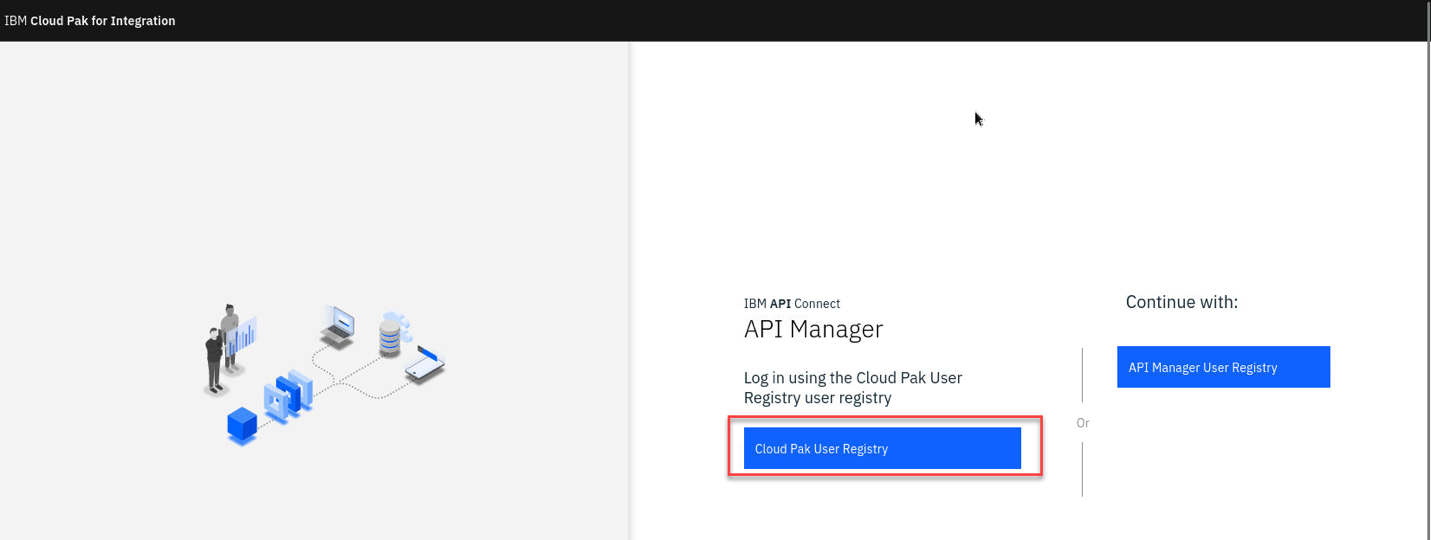
Login as Cloud Pak User Registry
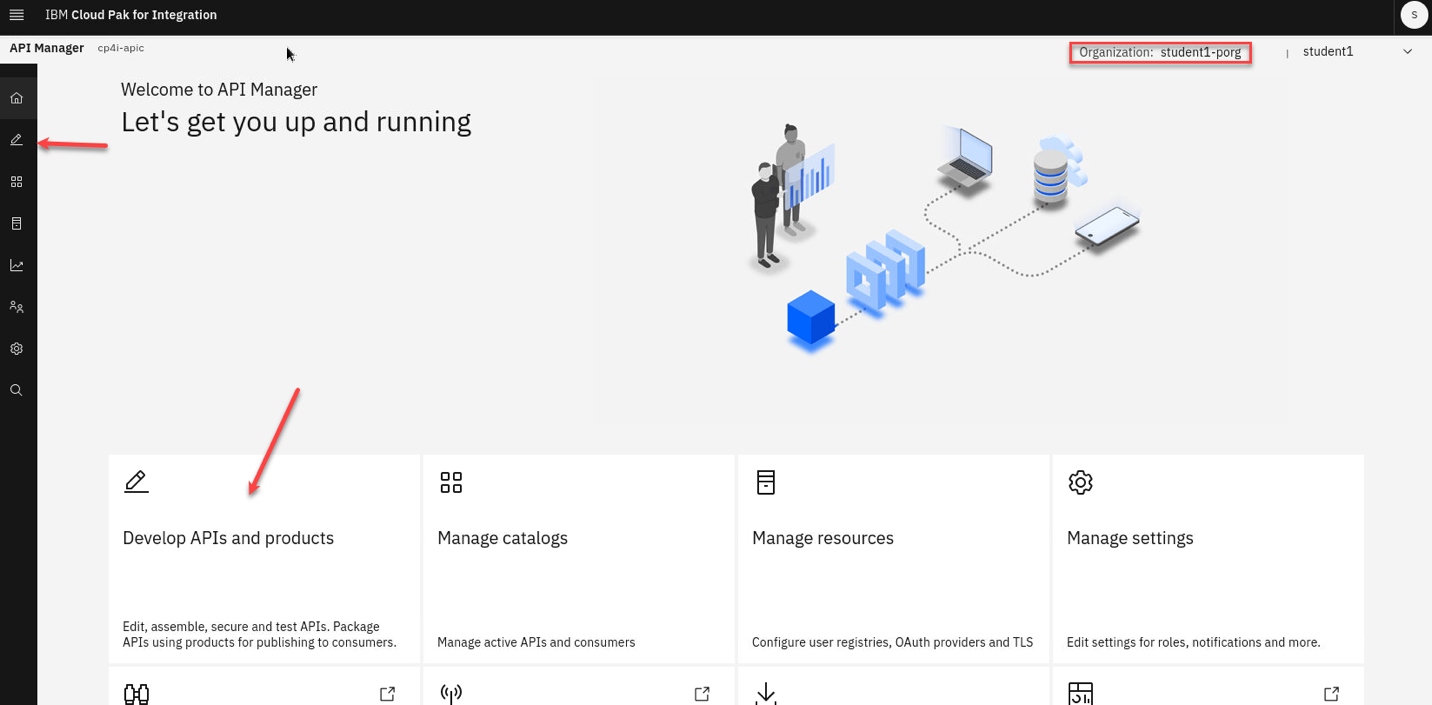
Once login make sure you are logged in the correct Provider Organization. In this screen shot it is student<n>-porg
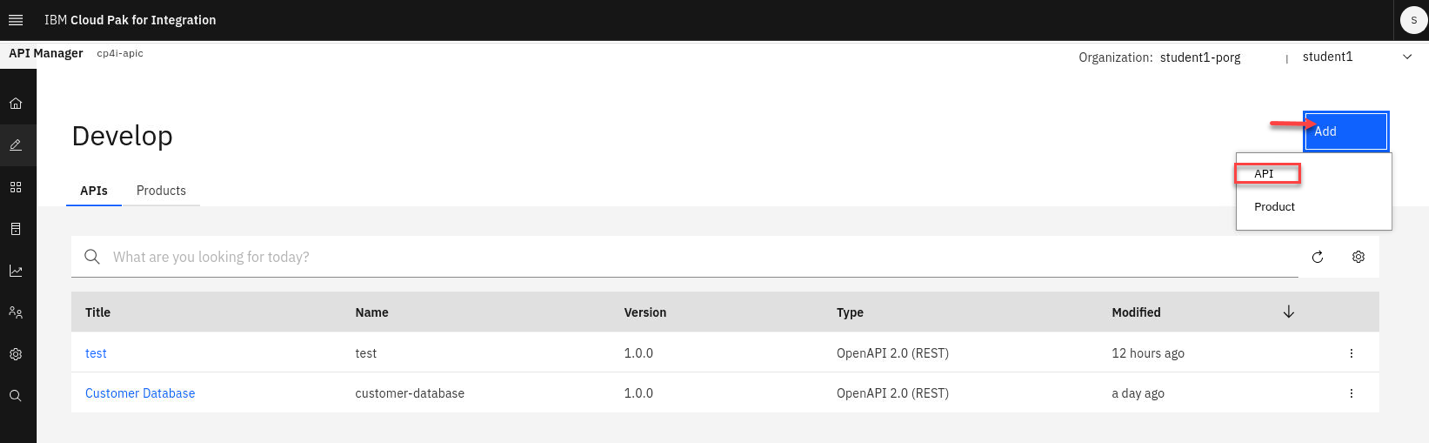
a) Select Develop APIs from the Tile or the link on the left menu.
b) Now select Add and pick API.
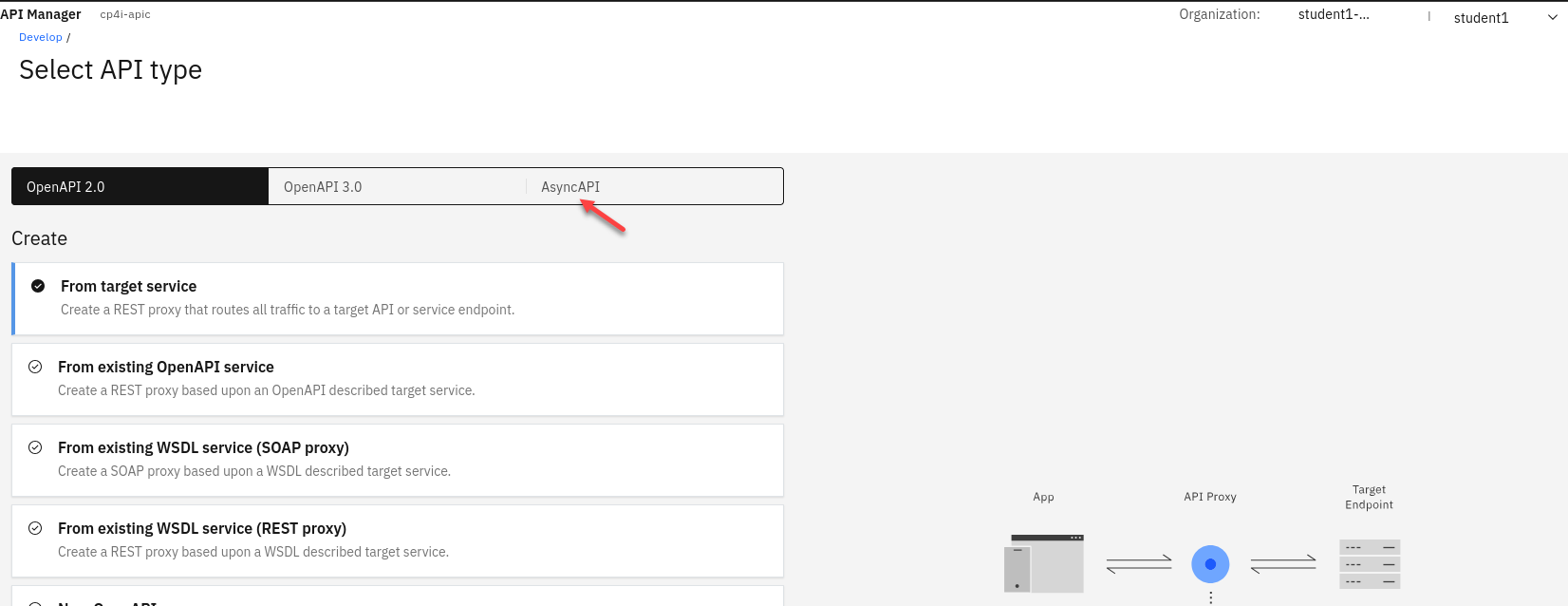
c) Select AsyncAPI
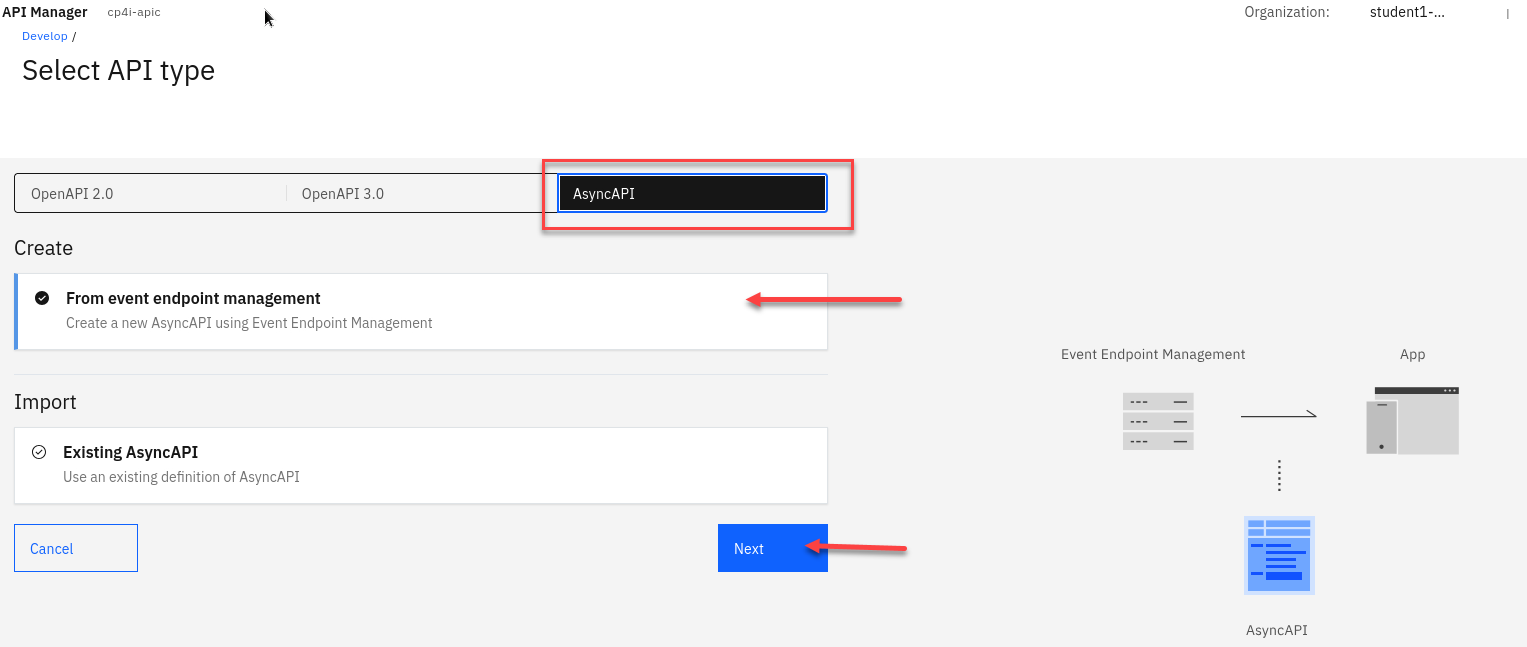
d) Now you will be on the page to Create from Event Endpoint Management or you can import existing definition.
Select Create and click Next
Note: This is a new feature that will allow you to add ASyncAPIs with out exporting and importing.
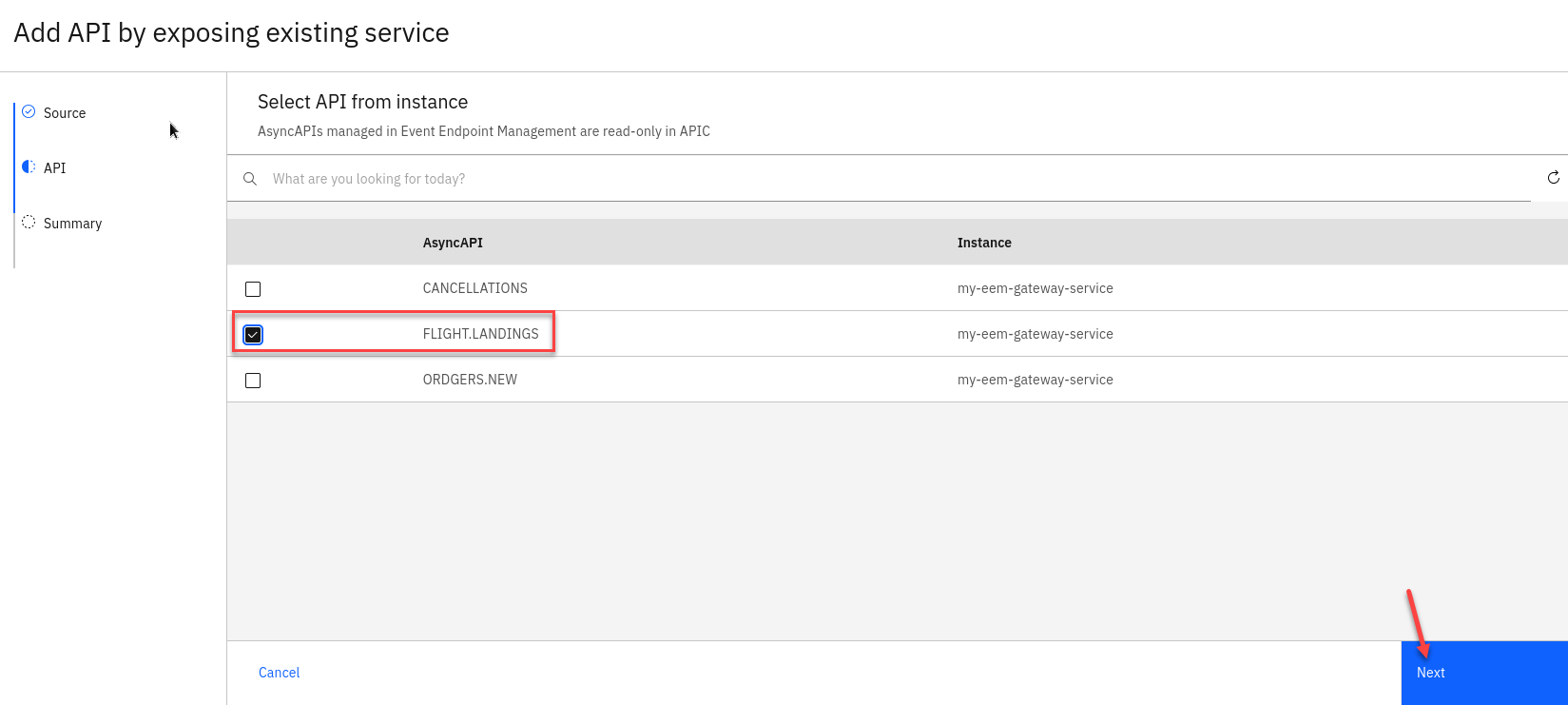
e) You will now see all AsyncAPIs that have been published in Event Endpoint Management. Select the FLIGHT.LANDINGS
Click Next
 {width=”6.5in”
height=”2.920138888888889in”}
{width=”6.5in”
height=”2.920138888888889in”}
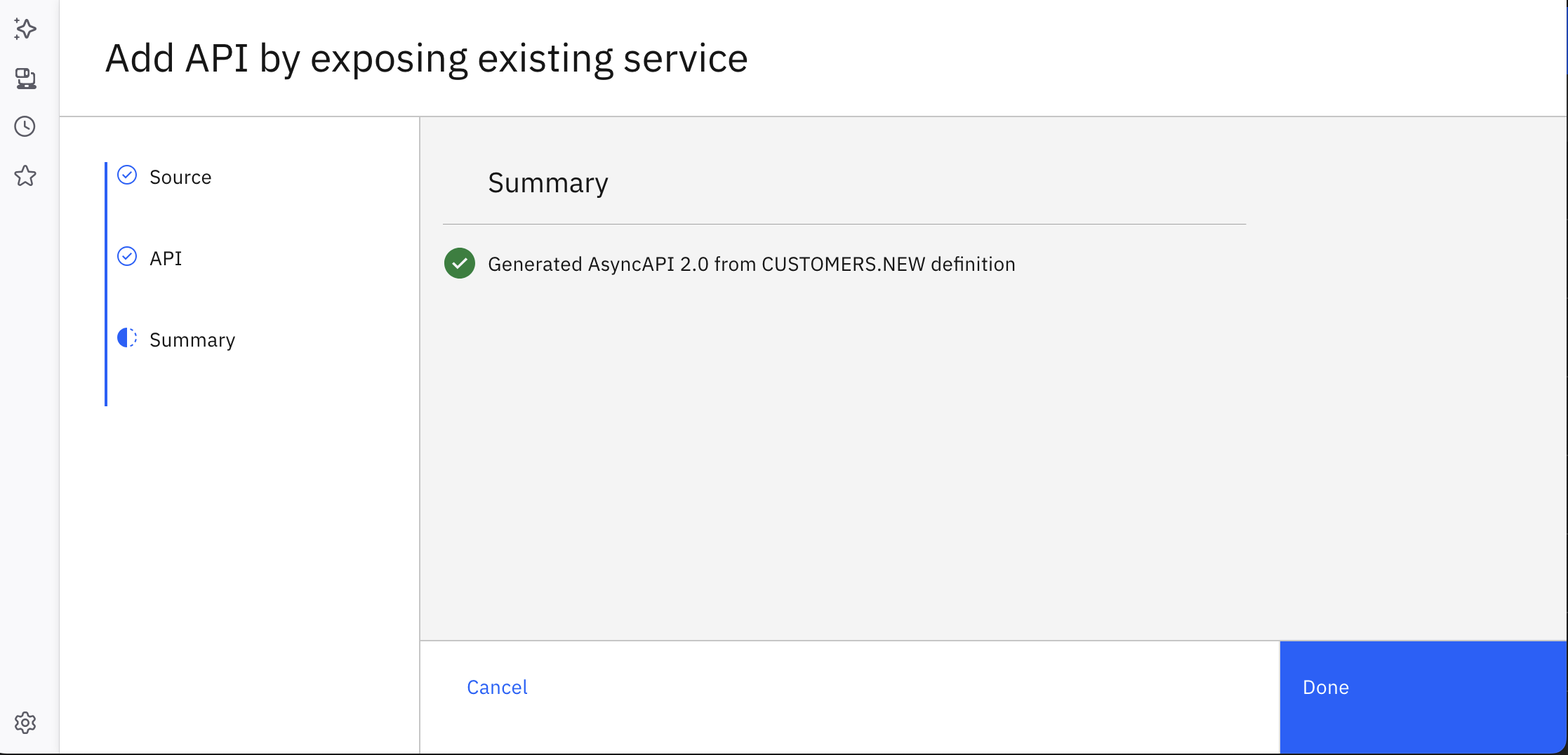
f) Now, click on <Done> Button.
 {width=”7.0in”
height=”3.3715277777777777in”}
{width=”7.0in”
height=”3.3715277777777777in”}
You have successfully imported AsyncApi into IBM Api Connect.
Create API Product & Add FLIGHT.LANDINGS AsyncAPI
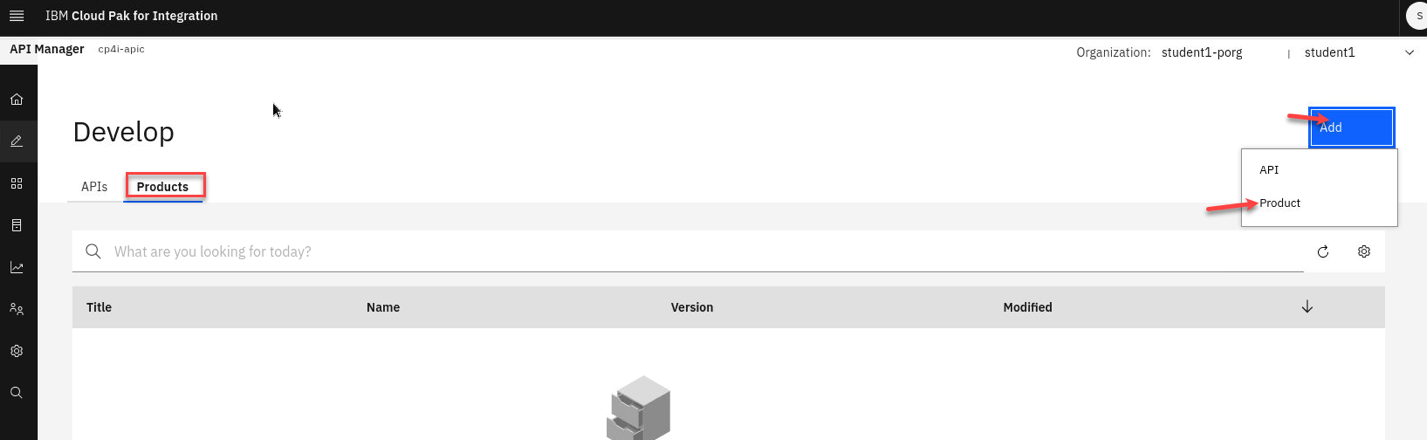
a) Select Add and Product
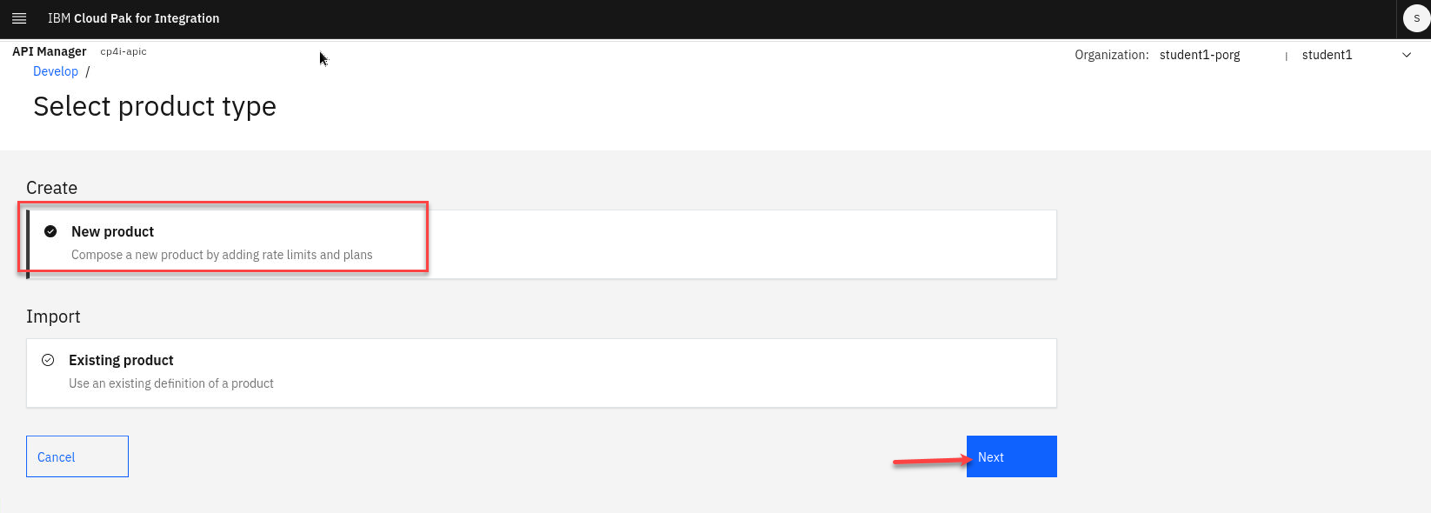
b) Select New product and click Next
c) Add a Title and Summary.
Ex: Flight Landings AsyncAPI
Click Next

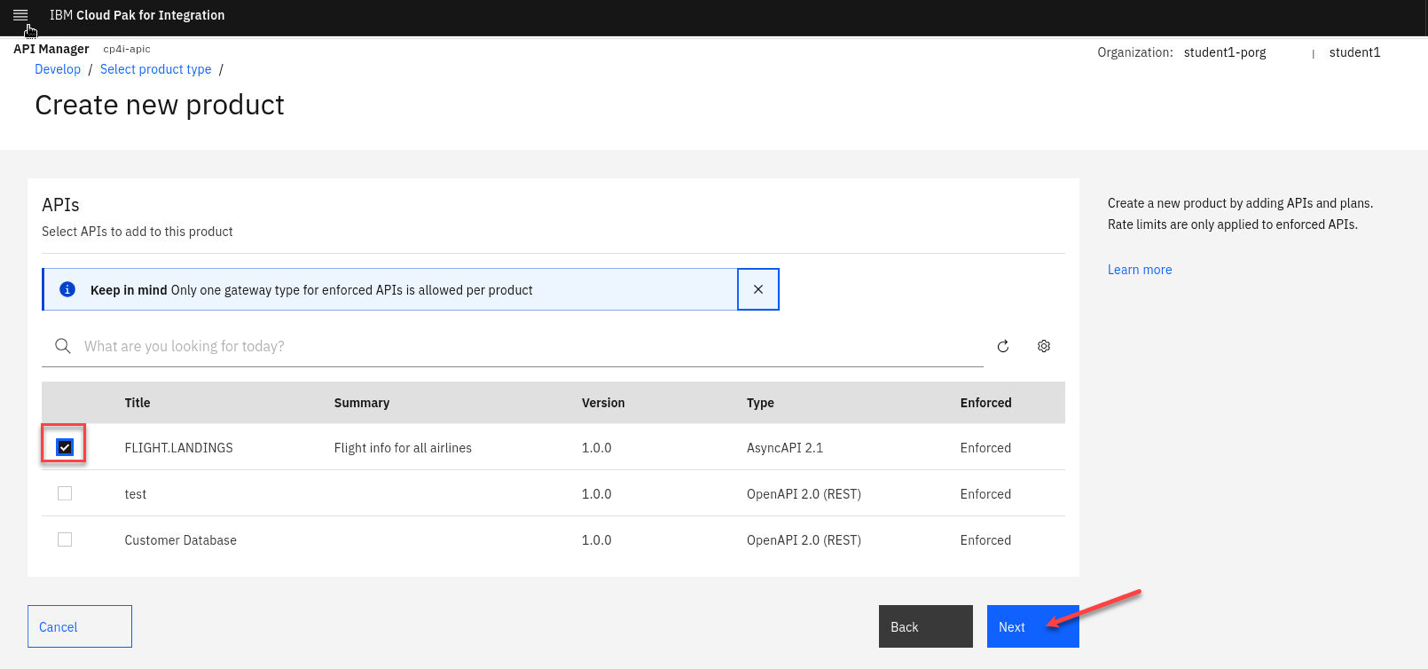
d) Click check box next to FLIGHT.LANDINGS to add this to the Product.
Click Next
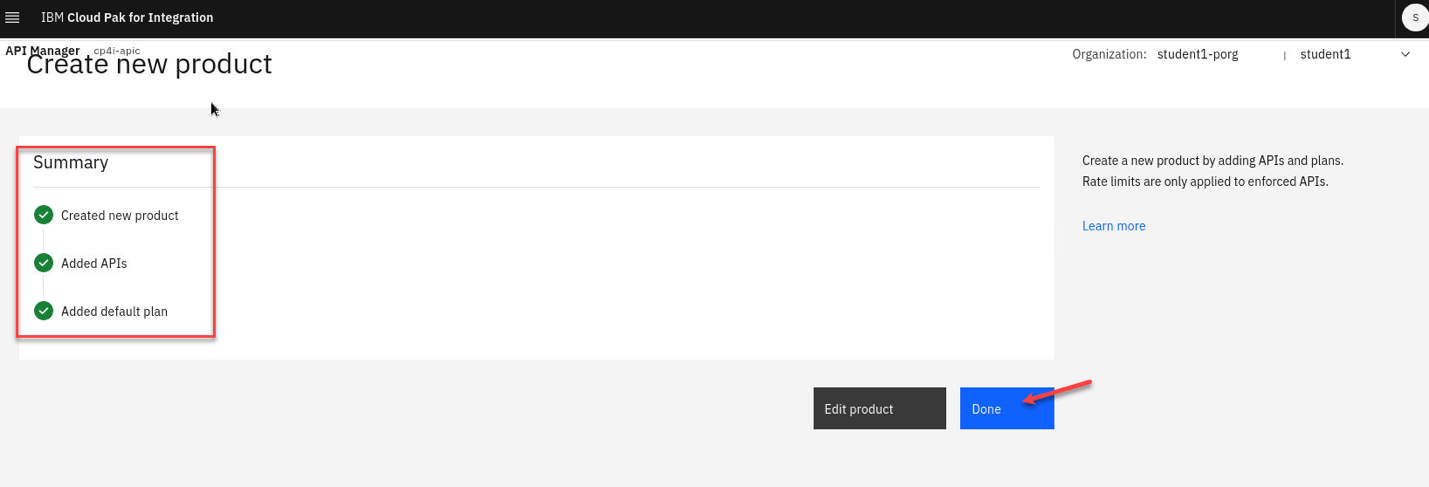
e) Click Next two more times till you get to the Summary page.
Click Done
Publish API Product
Now, publish the AsyncApi’s Product to the IBM Api Connect Developer Portal, and to the IBM Event Gateway.
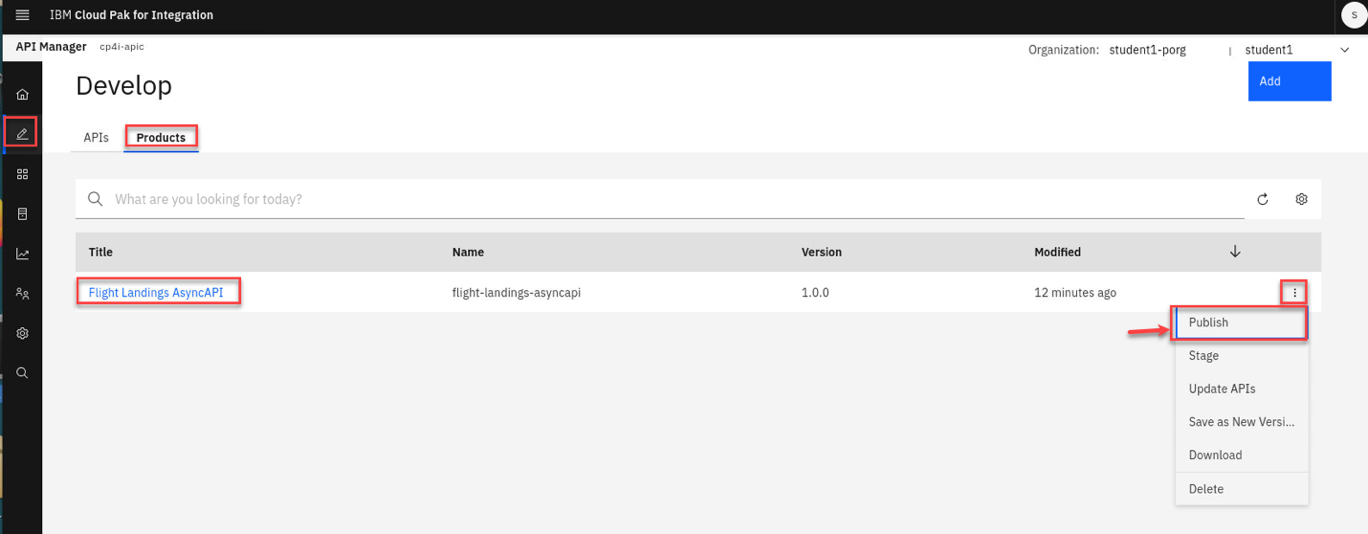
a) Go to the Develop page and select Products. Click on the 3-dots on the right side of the Product and select Publish.
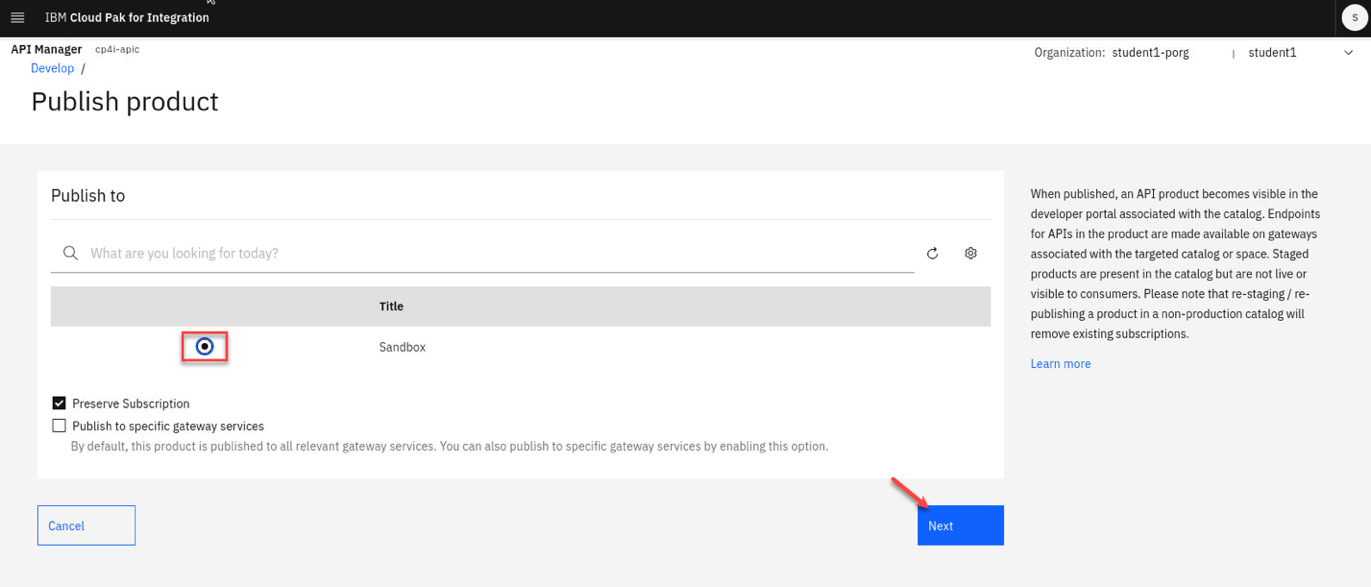
b) We only have 1 Catalog so select that and click Next
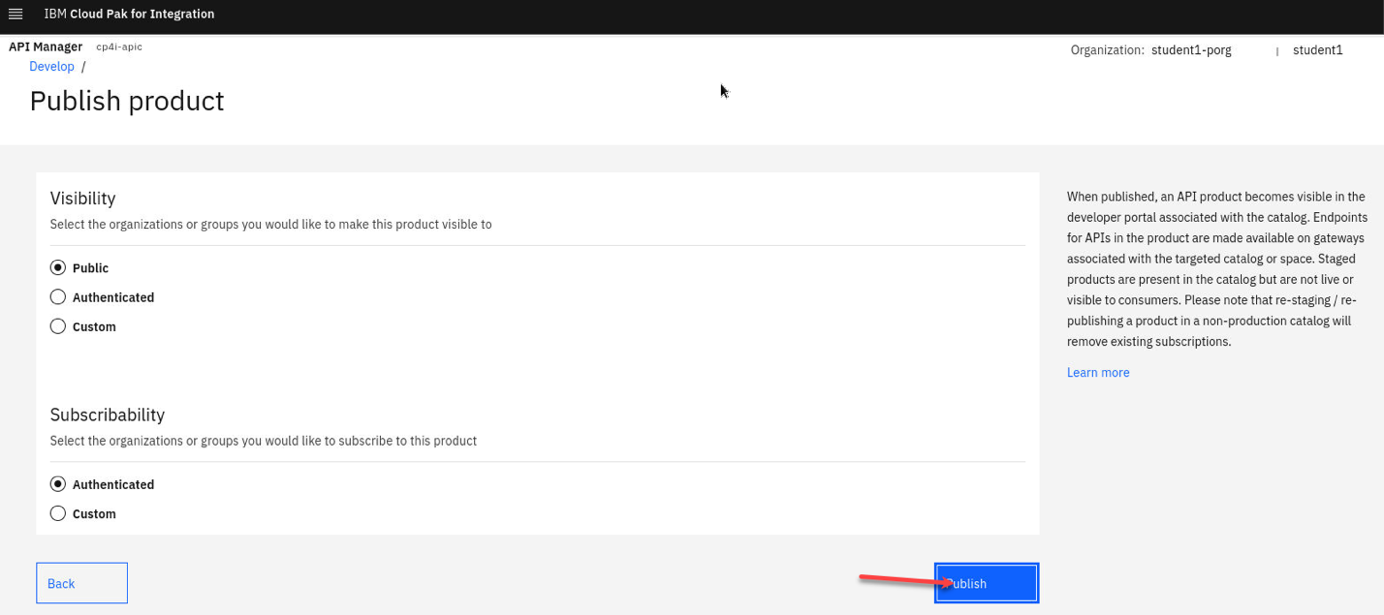
Next page click Publish
API Connect Developer Portal
Here, you will access, login, discover, and subscribe to the AsyncAPI. Consider the API Connect Developer Portal as a marketplace for all your APIs, enabling application development teams to discover, subscribe to, and utilize the APIs within their applications, including Web Applications, Mobile Applications, and more.
Access API Connect Developer Portal
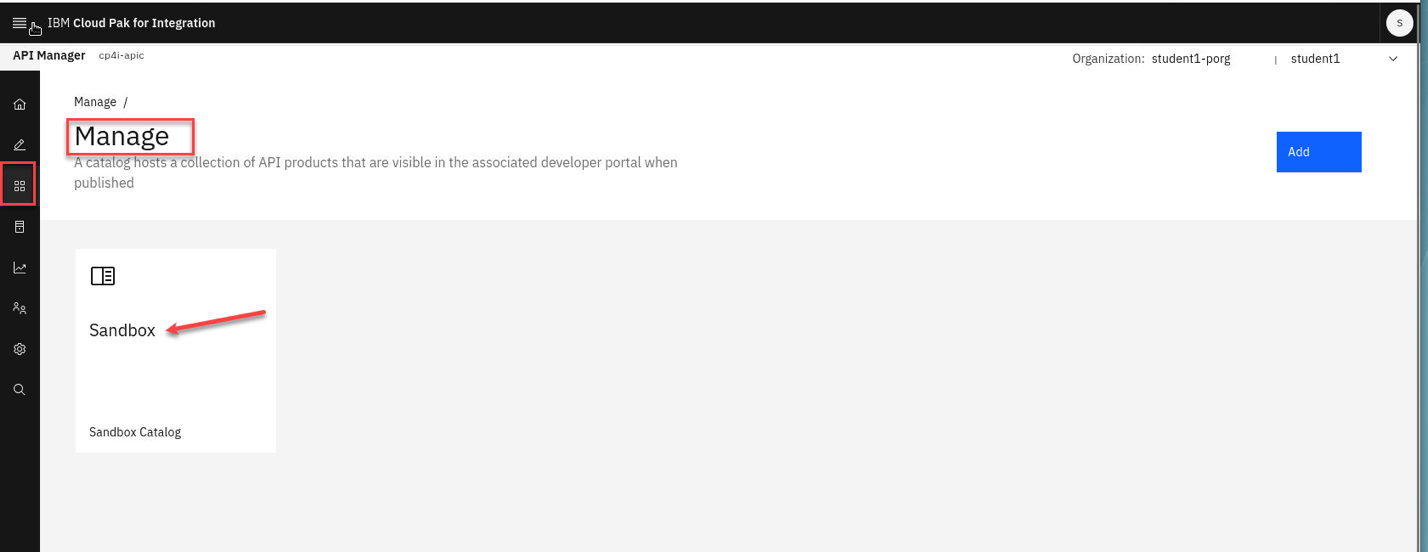
a) Locate the developer portal URL, by navigating to API Manager Home (Home Icon on top left) –> Manage Catalogs, select Sandbox Catalog.
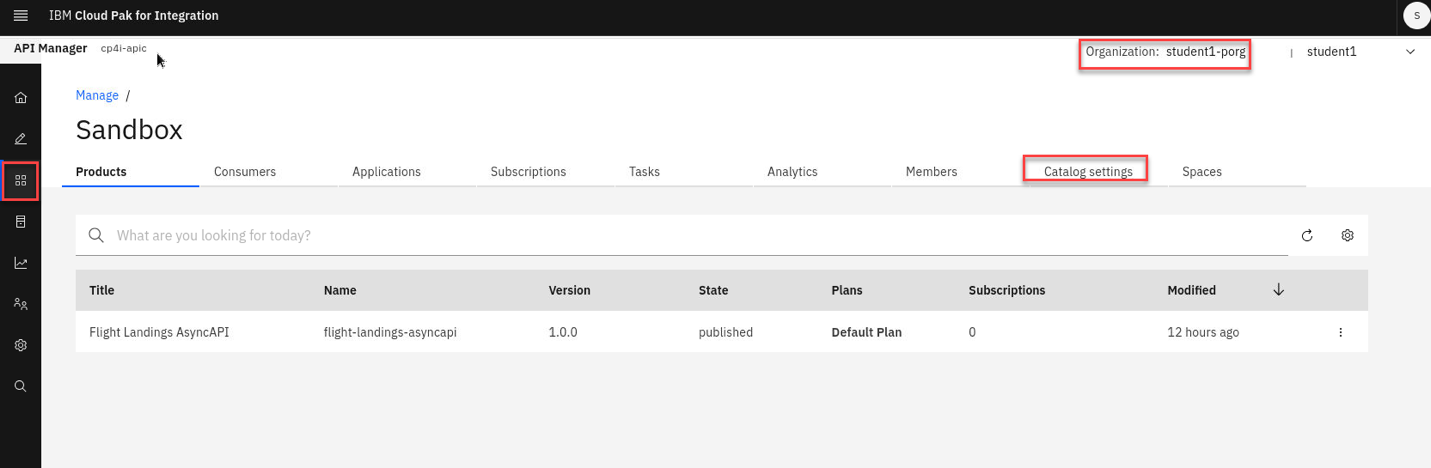
b) Click on “Catalog Settings” tab.
Note: Make sure you are in the correct Organization.
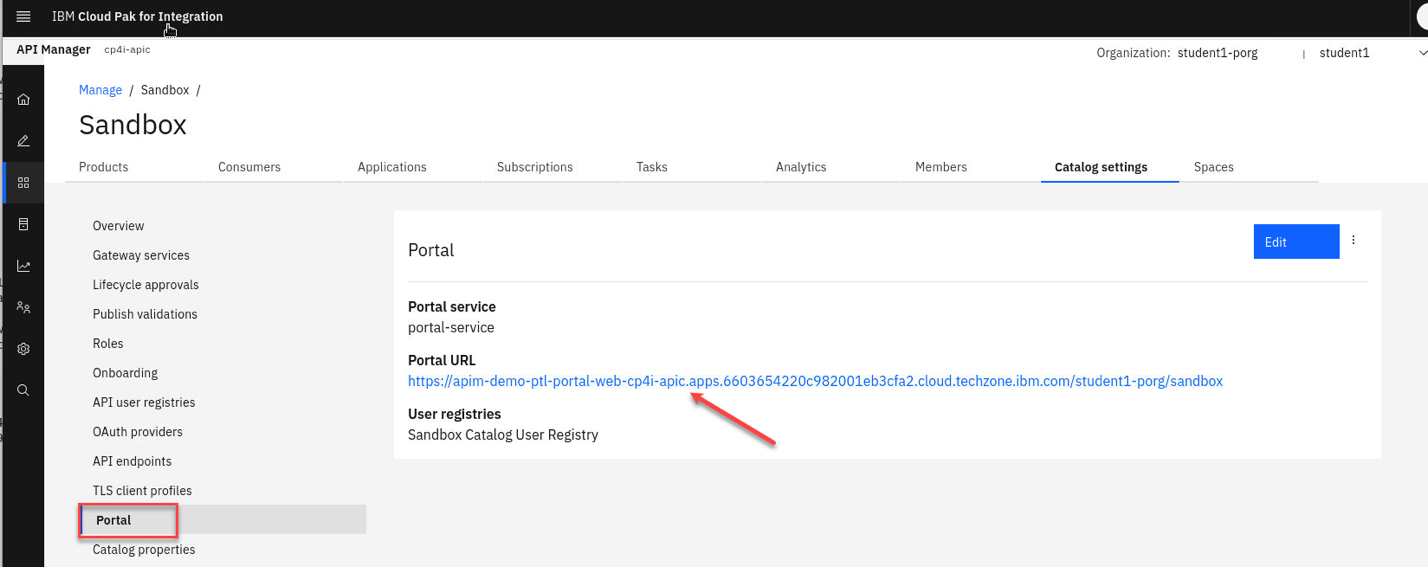
c) Click on Portal tab on left panel and right click the Portal URL and open in new tab.
Sign-on the API Connect Developer Portal
If you see “Warning: Potential Security Risk Ahead”, click “Advanced”, and click “Accept Risk and Continue” button to continue.
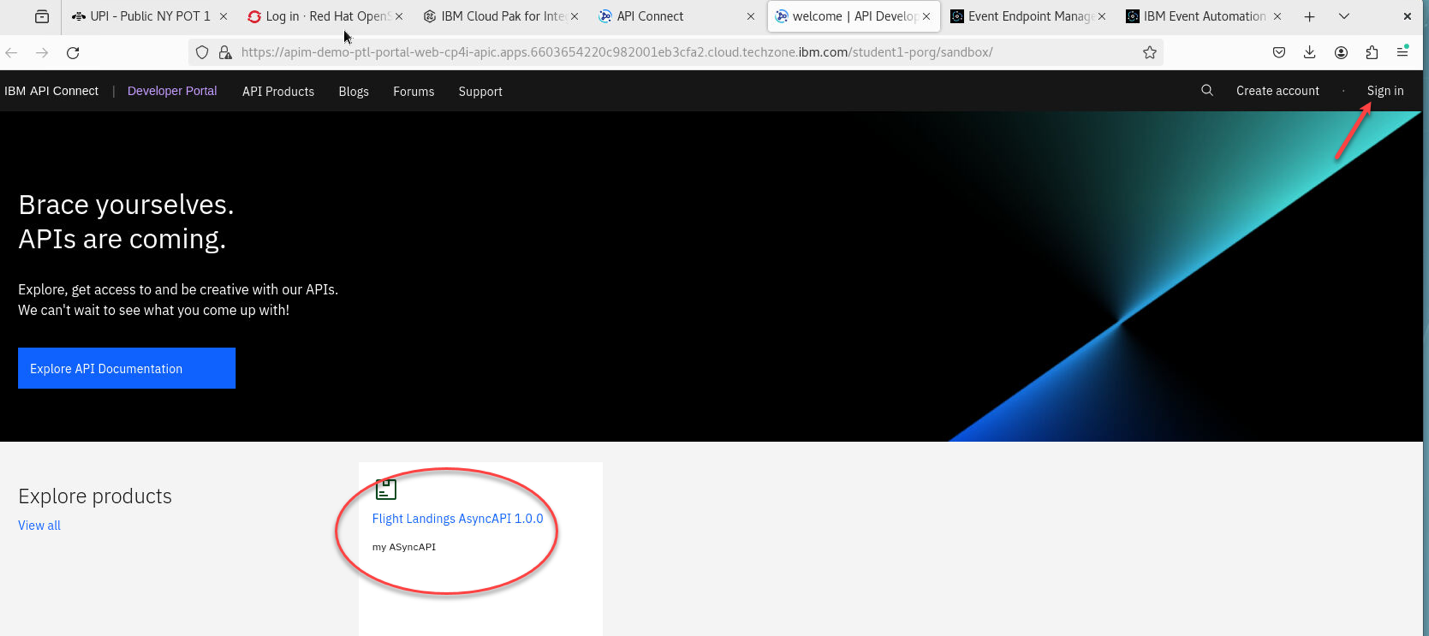
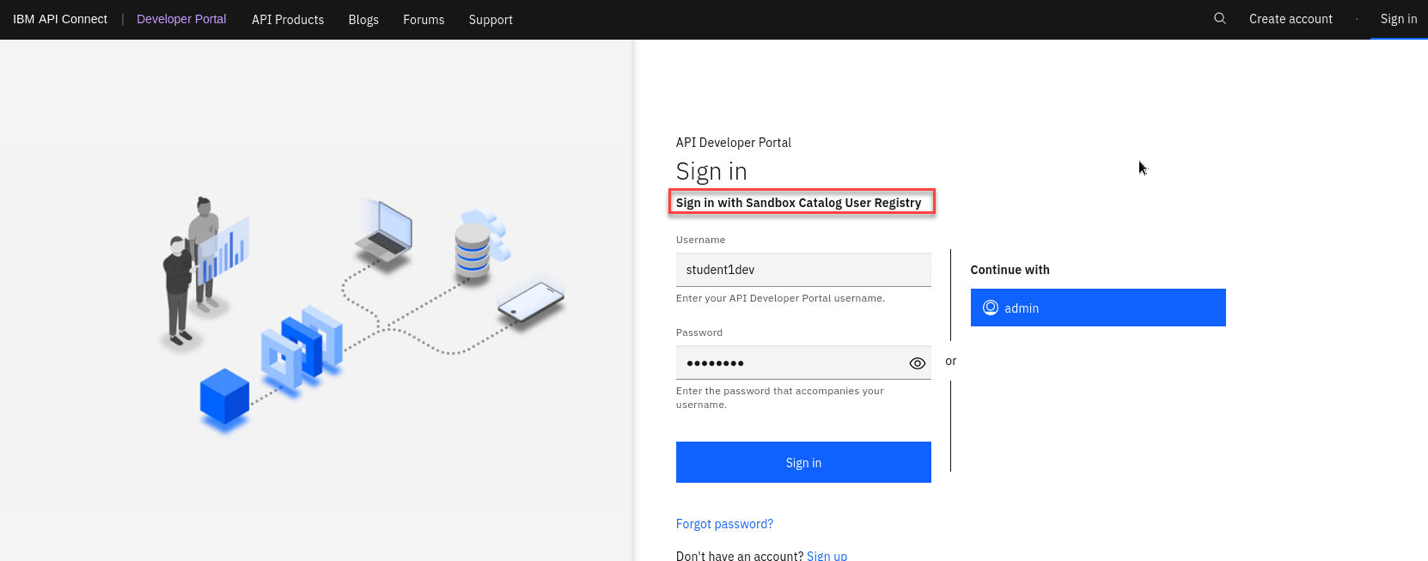
a) Click “Sign in” on the top right of the screen.
b) Sign-in to API Connect Developer Portal using your student id, and password.
Ex: student<1>dev, passw0rd
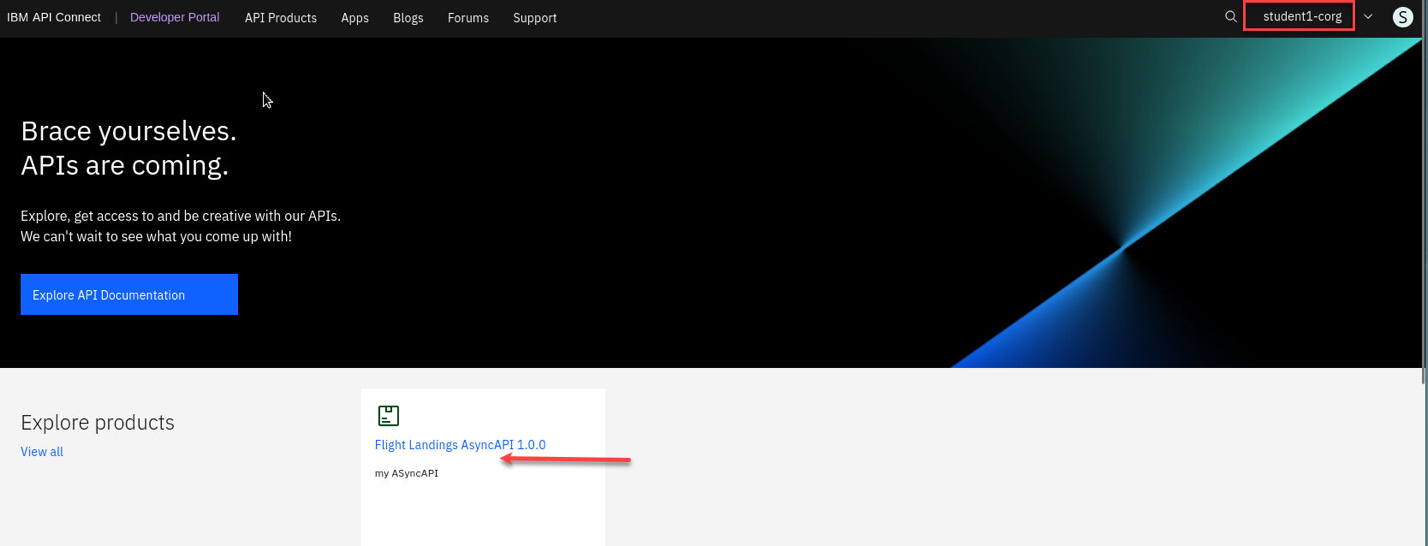
c) You should now be signed in under your student COrg. You will also see the Flight Landings AsyncAPI that you published in the pervious lab.
Subscribe to FLIGHT.LANDINGS API
Subscribe to FLIGHT.LANDIGS API.
- i) First you will open config.properties.
- ii) Second, you will create an application.
- iii) Third, when you create the application you will get key, and secret. You will copy and paste them into config.properties APP_CLIENT_ID, and APP_CLIENT_SECRET fields.
a) On the desktop, Open config.properties file with Text Editor as below.
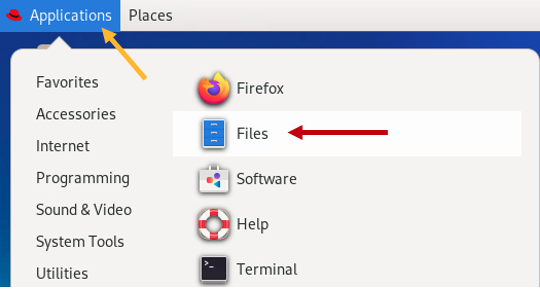
Click on Applications (top left of the desktop) –> Files and locate EEM folder.
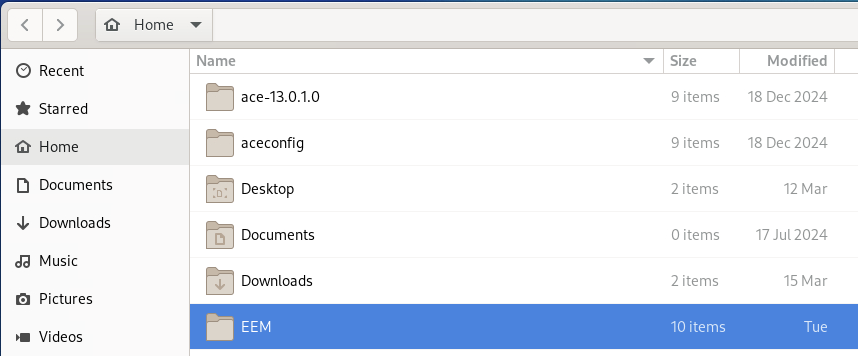
Double click on EEM (Event Endpoint Manager) folder.
Open config.properties file using “Open With Text Editor”.
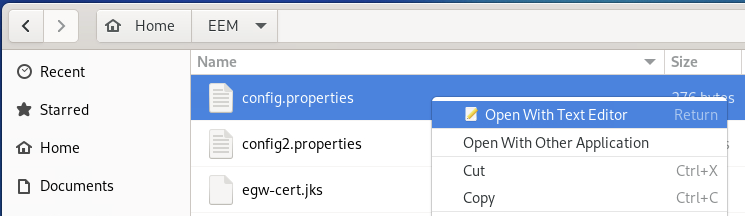
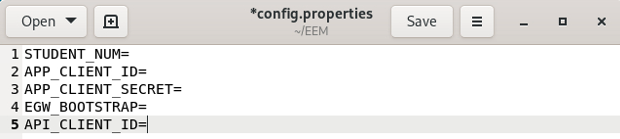
Now populate each field.
STUDENT_NUM=1,2,…20
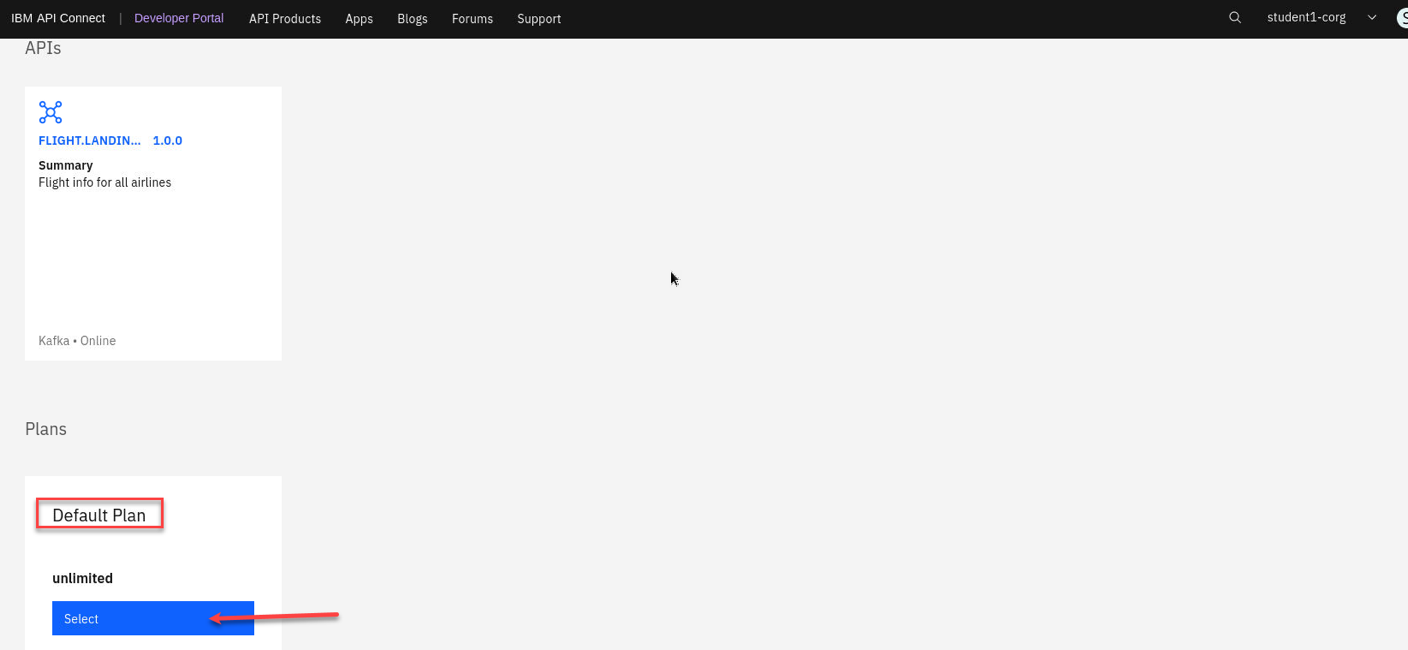
b) Switch to API Connect Developer Portal. Select Flight.Landing
asyncapis Product.
Select the default plan for this lab.
 {width=”6.404009186351706in”
height=”2.955696631671041in”}
{width=”6.404009186351706in”
height=”2.955696631671041in”}
c) Now we will need to create an application to subscribe to this plan.
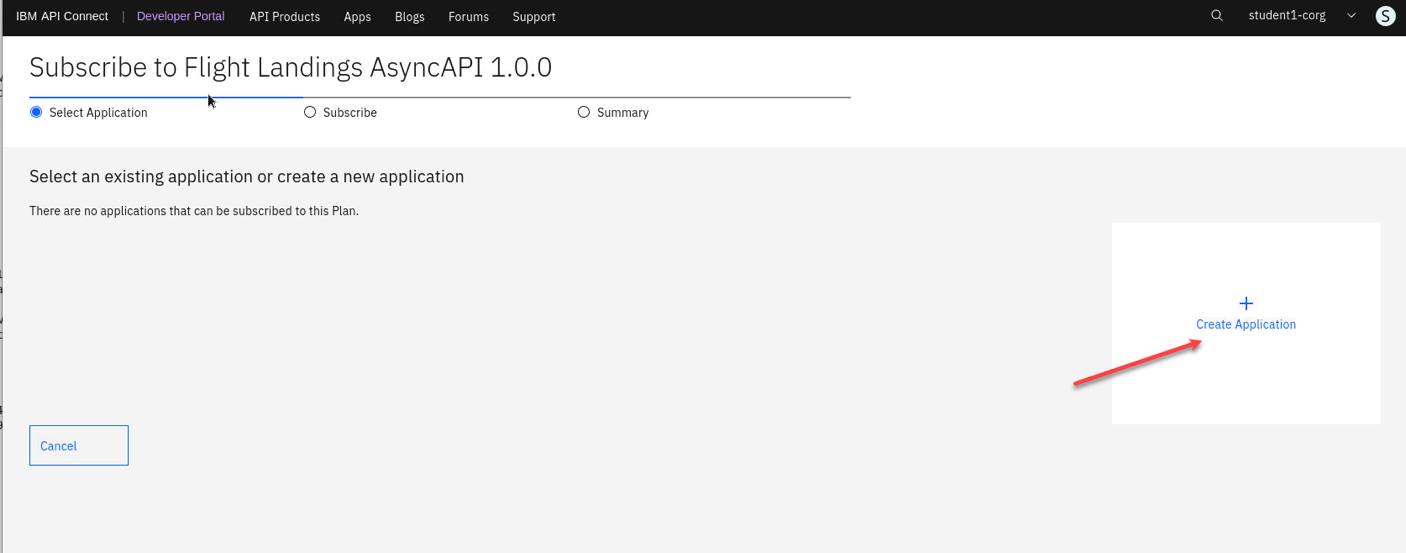
d) Give the new Application a Name.
EX: Flight landing
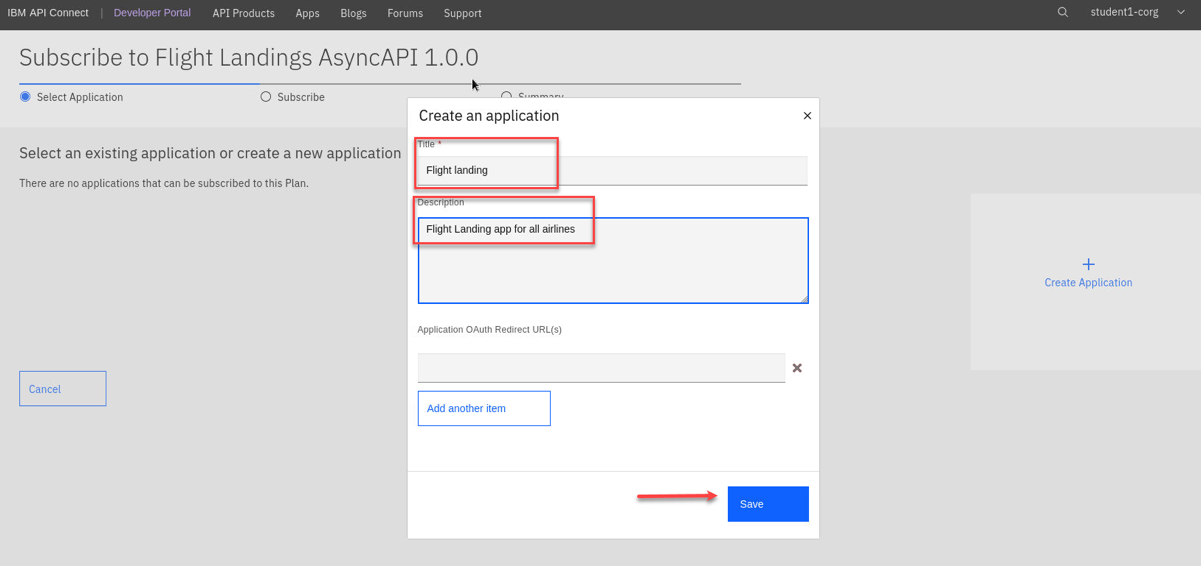
Click Save button, and that will display API Key, and Secret screen as below. Do NOT close it, move the below step.
e) You will now have the credentials for your application. Let’s copy and paste them into ~/EEM/config.properties file.
IMPORTANT
Copy and Paste the Key to APP_CLIENT_ID in config.properties file.
Copy and Paste the Secret APP_CLIENT_SECRET in config.properties file.
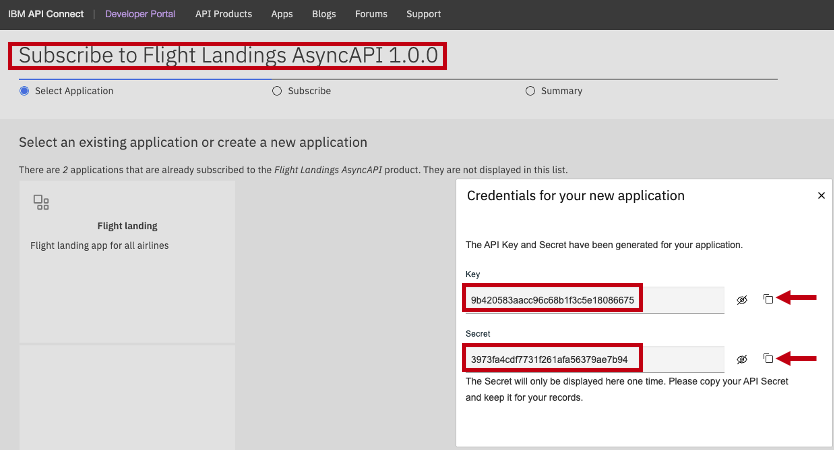
f) Click Next 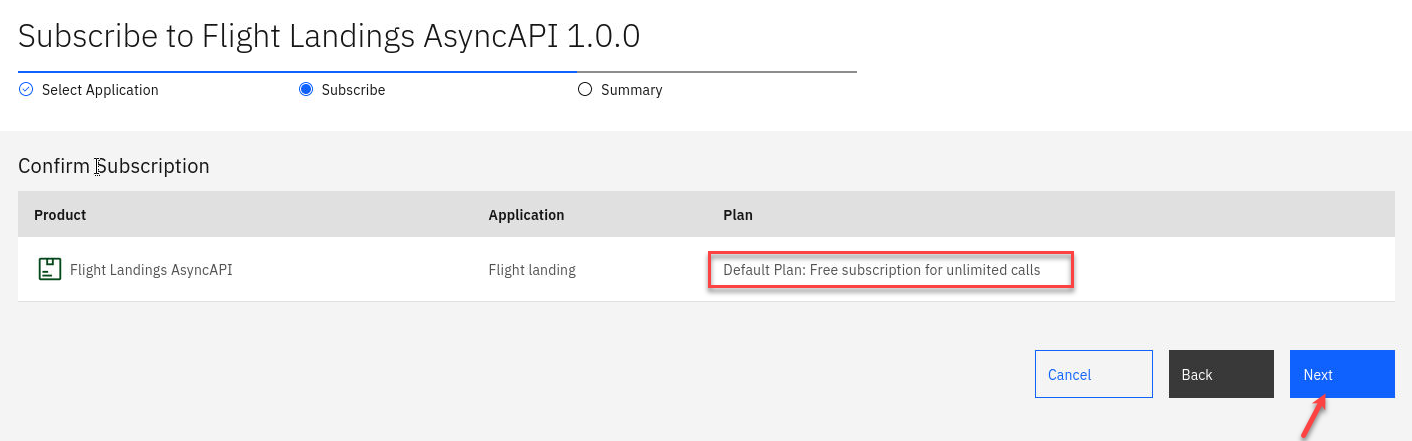
g) Click Done 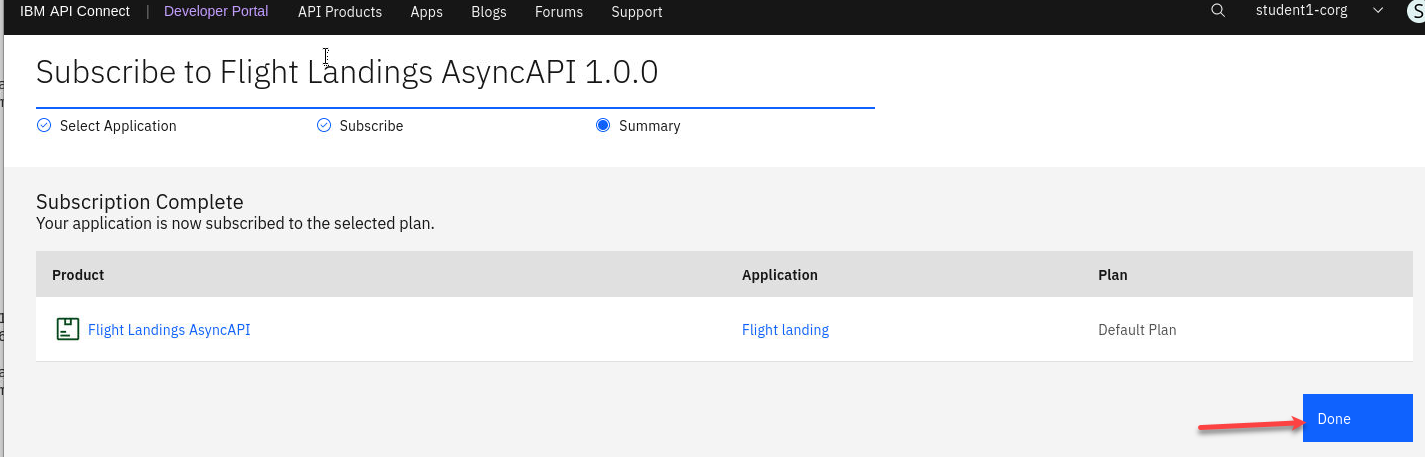
h) Now Click on the FLIGHT.LANDING API
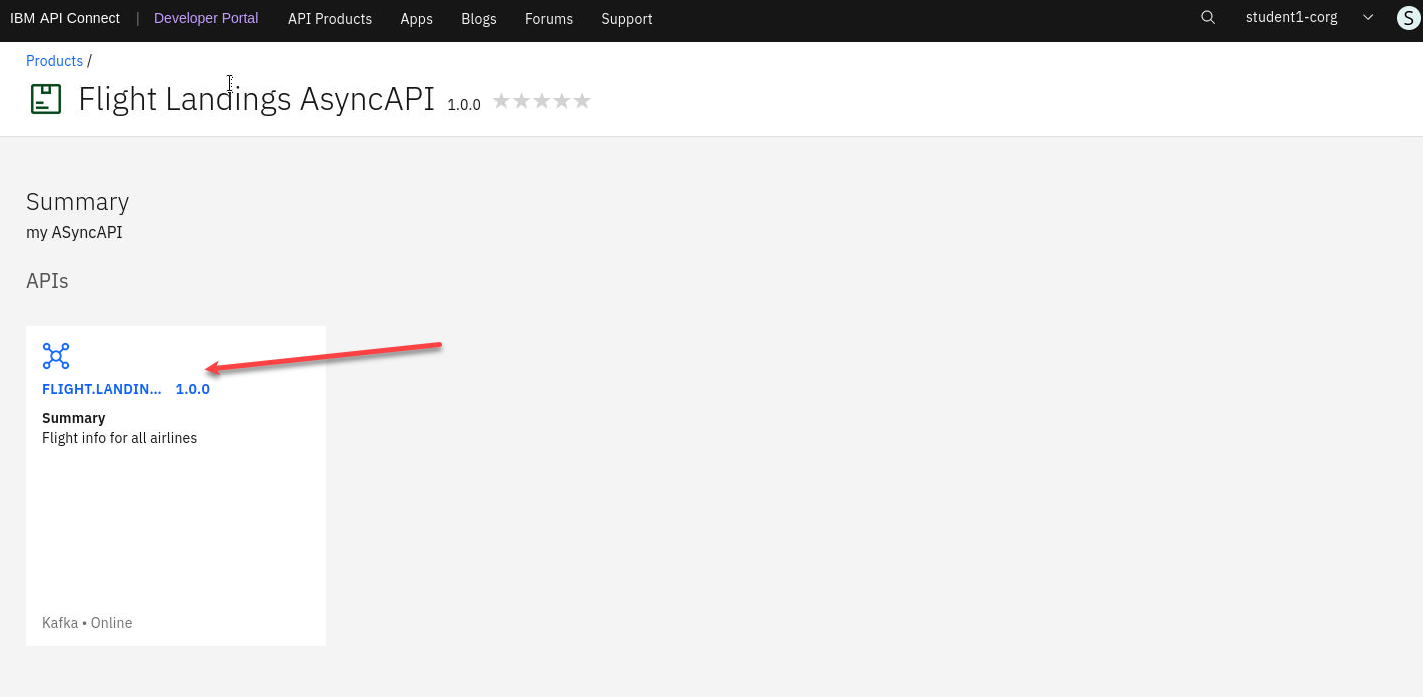
i) From here go to the Subscribe(operation) and scroll down to the Properties section.
- Copy and Paste the bootstrap.servers to EGW_BOOTSTRAP field in config.properties file.
- Copy and Paste the client.id to API_CLIENT_ID field in config.properties file.
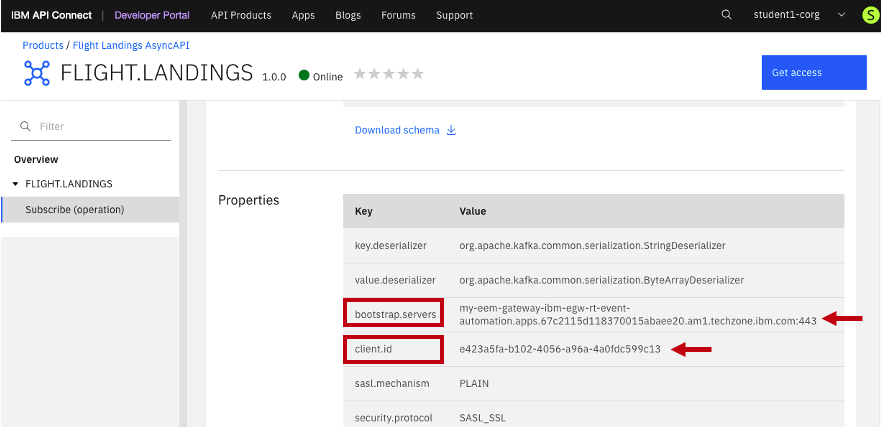
j) Save config.properties file.
Summary:
You have created an AsyncApi, added it to an API Product, Published,
Subscribed, and finally captured APP_CLIENT_ID, APP_CLIENT_SECRET,
EGW_BOOTSTRAP, and API_CLIENT_ID and saved them to config.properties.
Consuming Flight Landing Events
In this section, you will consume the flight landing events using Kafka Clients kafka-console-consumer.sh and a Java client.
Generate client certificates of Event Gateway
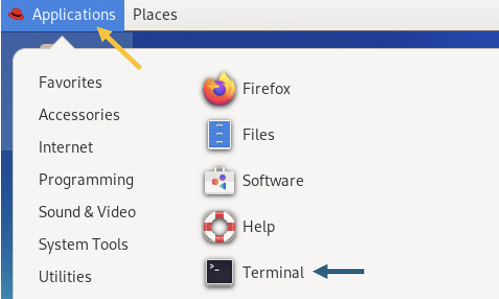
Now, on the Desktop minimize the Google Chrome Browser, and open a Terminal Window.
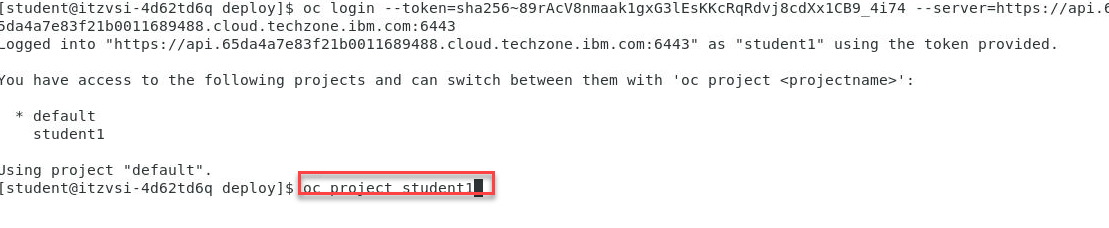
a) Run the below commands for logging into the OpenShift.
oc login -u student<n> -p welcometotxc https://api.6840855f81445a03dd00115e.ocp.techzone.ibm.com:6443
oc project student<n>
 {width=”6.5in”
height=”1.3381944444444445in”}
{width=”6.5in”
height=”1.3381944444444445in”}
b) Now go to the EEM directory
cd ~/EEM

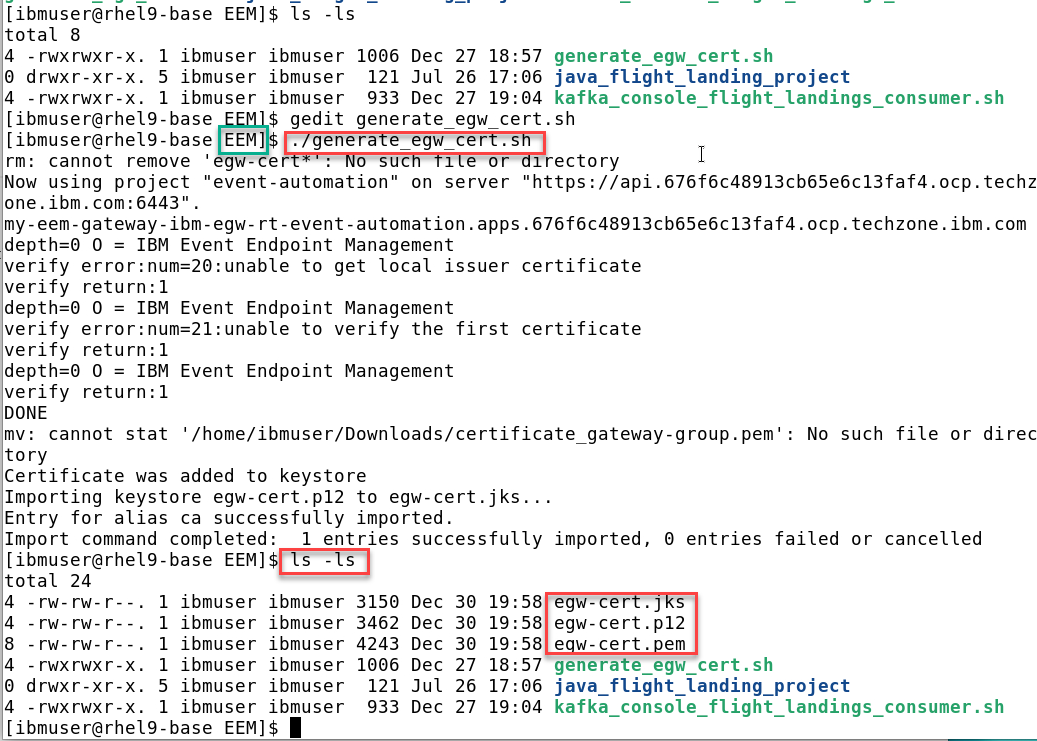
c) Run the generate_egw_cert.sh script
./generate_egw_cert.sh
When script is done run ls -ltr of the directory and you should see the egw cert files
ls -ltr
kafka-console-consumer.sh - Consume flight events
Here, you will receive flight landing events using the open-source kafka-console-consumer.sh program.
Change Directory to ~/EEM.
cd ~/EEM
You should have the following info saved in your config.properties file.
cat config.properties
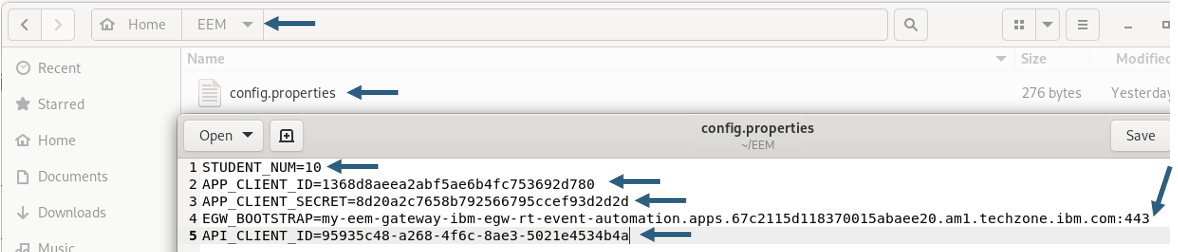
Now run the kafka_console_flight_landings_consumer.sh script and you should see flight info being displayed.
./kafka_console_flight_landings_consumer.sh

Java Application – Consume flight events
Here, you will receive flight landing events using a custom java program.
Open a NEW Terminal window (keep the kafka_console_flight_landing_consumer.sh running).
a) Change the Directory.
cd ~/EEM/java_flight_landing_project
b) Now run the following command to start the Java Consumer.
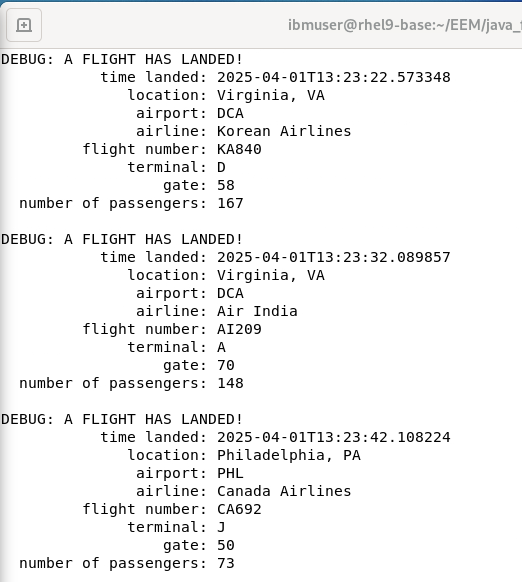
./java_flight_landing_consumer.sh
You should see output like below.
When both the Consumers are running, you should see both the Consumers receiving the events.
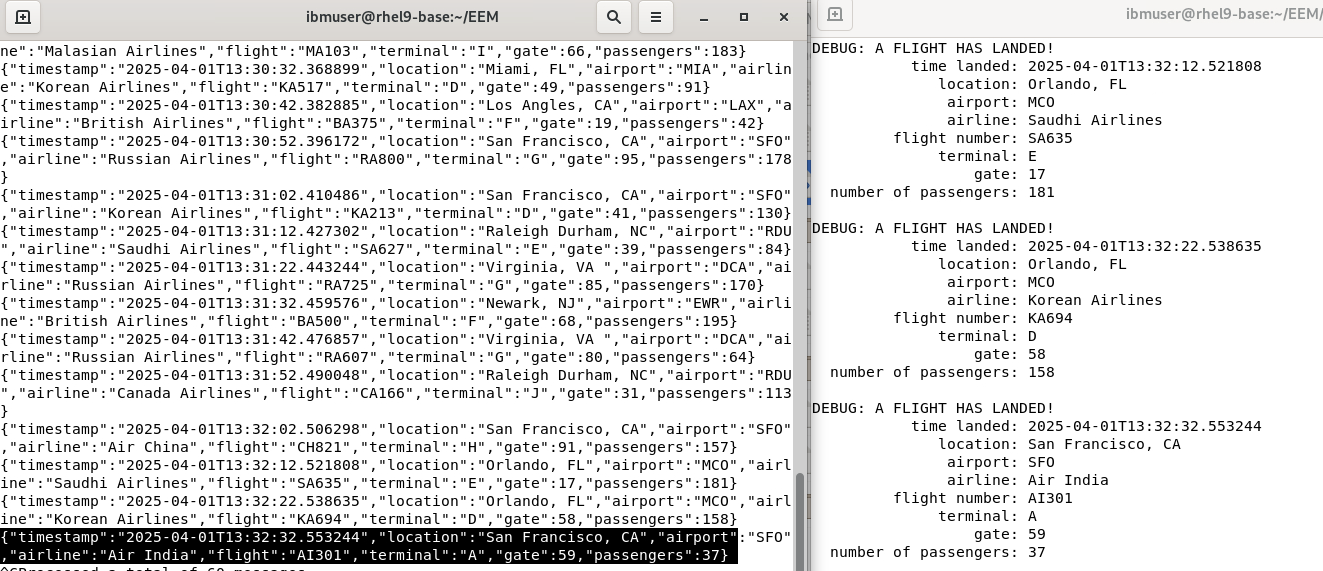
You have initiated two Kafka Clients and have successfully obtained Flight landing events from Kafka via the IBM Event Gateway, with both clients receiving identical data.
Summary:
In this laboratory, you have examined the AsyncAPI of IBM Event Automation and IBM API Connect platforms to transform Kafka Topics into APIs, enabling secure consumption of Kafka stream data via IBM Event Gateway.
!!! CONGRATULATIONS !!!